
Top 6 Best E-Book and PDF Reader Apps for Android Devices (2026)
Transform Your Smartphone or Tablet into the Ultimate Digital E-Reader
Before you scroll through and just pick the first option, hear me out. These apps are ranked based on their feature sets, format support, and published specifications.
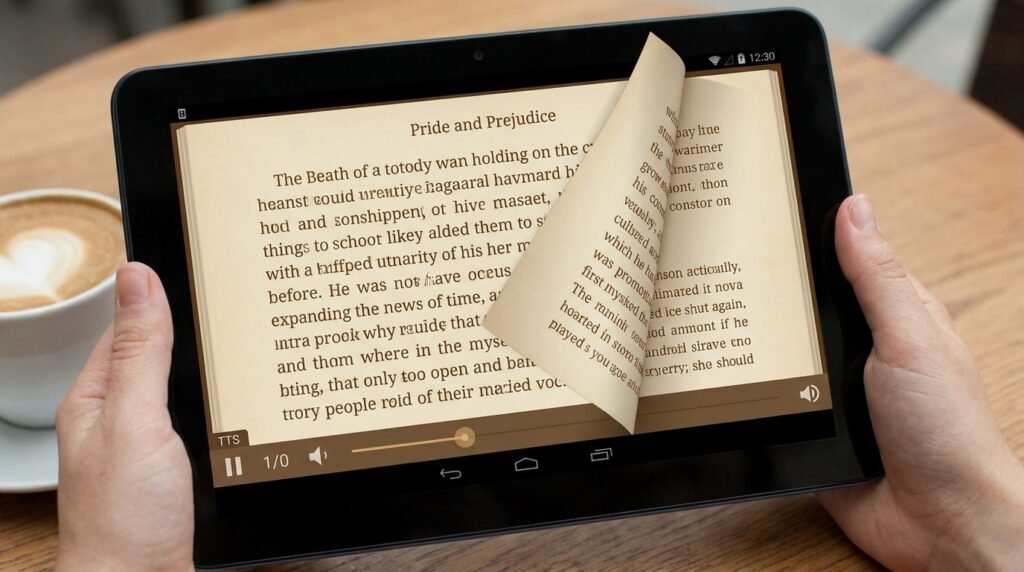
With high-resolution OLED displays, adaptive color temperatures, and lightweight tablet form factors, modern Android devices have evolved into exceptional digital reading platforms. Whether you are a student analyzing technical PDF documentations, a comic book enthusiast browsing digital graphic novels, or a devoted bibliophile with an extensive EPUB literature collection, choosing the right e-book reader application can make all the difference in your mobile reading experience.
The modern mobile reader demands far more than basic text rendering. Today’s top-tier e-reader apps provide custom typography engines, advanced Text-to-Speech (TTS) voice synthesis, deep cloud storage synchronization, automatic dictionary lookups, and specialized OLED dark themes designed to reduce eye strain during prolonged night reading sessions. In this detailed review, we examine the 6 best e-book and PDF reader apps available for Android in 2026, complete with configuration guides and optimization tips.
• EPUB: The open universal standard for reflowable e-books; text scales automatically to fit any display size.
• PDF: Fixed-layout document format ideal for textbooks, scientific manuals, and graphic design layouts.
• MOBI / AZW3: Proprietary Amazon Kindle formats optimized for Kindle ecosystem readers.
• CBZ / CBR: Archived image containers designed specifically for digital comic books and manga.
Detailed Reviews of the 6 Premier Android E-Book Readers
1. ReadEra – Ad-Free Universal Book & PDF Reader
ReadEra has earned a stellar reputation as one of the most reliable, privacy-respecting, and completely ad-free e-book readers on the Android platform. Designed without pop-up ads, forced registrations, or mandatory in-app purchases, ReadEra functions as a universal document reader out of the box.
ReadEra natively supports an impressive array of file formats, including EPUB, PDF, DOC, DOCX, RTF, DJVU, FB2, MOBI, and TXT. Its auto-detection engine scans device memory automatically, organizing books by author, series, and collection. Features include split-screen reading modes (allowing users to view two pages or distinct documents side-by-side), full offline functionality, customizable page margins, line spacing adjustments, and true black OLED night themes. For users who want a straightforward, powerful document reader without distractions, ReadEra is unmatched.
Step-by-Step Setup Guide: To configure ReadEra for night reading, open any document, tap the center of the display to surface toolbar controls, tap the Theme Settings gear icon, and select Console (OLED Black). Adjust line spacing to 1.3x and select Bookerly or Roboto Slab for optimum font legibility.
2. Moon+ Reader Pro – Customization Powerhouse for Bibliophiles
For readers who demand absolute control over every visual element of their digital library, Moon+ Reader Pro remains the gold standard customization engine. Moon+ Reader supports virtually all reflowable document formats, including EPUB, PDF, DJVU, AZW3, MOBI, CBZ, CBR, and RAR archives.
Moon+ Reader Pro offers over 10 embedded color themes (including specialized AMOLED dark modes), 24 customized visual gesture controls (such as sliding along the left edge to adjust brightness), dual-page landscape orientation, hyphenation rules, and realistic 3D page-turning animations. Furthermore, it integrates smoothly with cloud storage providers (Google Drive, Dropbox, WebDAV) to synchronize reading positions, annotations, and bookmarks across multiple mobile devices smoothly.
Step-by-Step Setup Guide: Enable WebDAV cloud sync by tapping the top-left menu icon in Moon+ Reader Pro, selecting Sync Cloud Data, choosing WebDAV / Google Drive, and signing into your server account. Enable Auto-sync on start and exit to ensure your reading progress stays updated across your phone and tablet.
3. Librera Reader – Highly Customizable Open-Source Reading Engine
Librera Reader is a feature-rich, open-source e-book application tailored for users who value software transparency and flexible document viewing. Built on lightweight rendering engines, Librera excels at processing heavy PDF manuals, technical DJVU documents, and classic EPUB volumes with minimal memory consumption.
Librera features customizable auto-scrolling modes (ideal for hands-free reading or music sheet viewing), integrated Web Search and dictionary lookups, localized Text-to-Speech (TTS) integration, day/night theme presets, and dedicated Musician Mode for hands-free page flips. Because it is open-source, Librera contains zero tracking telemetry or ad network SDKs.
Step-by-Step Setup Guide: To use Musician Mode in Librera, open a sheet music PDF, tap the menu bar, activate Musician Mode, and set auto-scroll speed using the bottom slider. You can tap anywhere on the upper or lower display halves to initiate hands-free page jumps.
4. Amazon Kindle App – Ecosystem Champion & Whispersync Integration
For users heavily invested in the Amazon digital ecosystem, the official Amazon Kindle app provides a polished reading environment. The app grants direct access to millions of Kindle store books, magazines, and graphic novels, alongside proprietary Whispersync technology that automatically synchronizes your reading position, highlights, and bookmarks across Kindle hardware e-readers and Android devices.
Step-by-Step Setup Guide: Enable continuous scroll mode by tapping the Aa formatting icon at the top of any Kindle book, navigating to the Layout tab, and toggling Continuous Scroll on. This allows smooth vertical scrolling similar to web articles.
5. Google Play Books – Cloud-Synced Library with Clean UI
Google Play Books offers a sleek, minimalist reading interface with native cloud backup support. Unlike many commercial e-reader platforms, Google Play Books permits users to upload their personal EPUB and PDF document collections directly to Google cloud servers for free, making them accessible across any connected Android or web browser interface.
The app features automatic Smart Light adjustments (gradually filtering out blue light as sunset approaches), offline reading caching, built-in dictionary and Wikipedia search popups, Google Translate integration for foreign language literature, and cloud synchronization for notes exported directly to Google Docs.
Step-by-Step Setup Guide: Upload personal EPUB files by opening Settings > Enable PDF & EPUB uploading. Open your Android File Manager, tap your `.epub` file, select Upload to Play Books, and access your file across any Android phone or tablet signed into your Google account.
6. FBReader – Classic Multi-Format E-Book Manager
FBReader (Favorite Book Reader) is a long-standing multi-platform e-book manager known for its ultra-fast rendering engine and multi-language dictionary integration. FBReader supports EPUB, MOBI, FB2, RTF, plain text, and PDF (via free plugin module).
FBReader provides direct integration with external translation tools (ColorDict, Fora Dictionary, Dictan), custom TrueType font loading, online OPDS catalog browsing (allowing users to access public libraries and independent e-book stores), and cloud synchronization via the FBReader Book Network.
E-Reader Hardware vs. Android OLED Tablets: E-Ink Display Optimization
While dedicated hardware e-readers (such as Amazon Kindle or Kobo devices) utilize electronic ink (E-Ink) displays that reflect ambient light, modern Android smartphones and tablets use high-resolution OLED displays. To achieve an e-ink-like reading comfort on Android, apply these display optimization techniques:
- Enable E-Ink Simulation Mode: Apps like Librera and Moon+ Reader include dedicated grey-scale paper texture rendering modes that adjust contrast and eliminate bright white background peaks.
- Configure System Night Light & Color Temperature: Set Android’s system Night Light feature to automatically warm screen colors past 7:00 PM, filtering out high-energy blue light wavelengths.
- Reduce Screen Brightness Below 15%: During low-light night reading, lower display brightness manually or use third-party dimming overlays to prevent eye strain and preserve dark adaptation.
Feature Comparison Matrix of Top Android E-Reader Apps
The comparative matrix below details format capabilities, TTS support, dark mode features, and cloud synchronization across the top 6 e-reader applications:
| Application Name | Supported Formats | TTS Engine Support | OLED Dark Mode | Cloud Sync Options | Ad Status |
|---|---|---|---|---|---|
| ReadEra | EPUB, PDF, DOC, MOBI, FB2, DJVU | Yes (System Engine) | True Black OLED | Local Storage / System Backup | 100% Ad-Free |
| Moon+ Reader Pro | EPUB, PDF, MOBI, AZW3, CBZ, CBR | Advanced Multi-Voice | AMOLED & Custom Themes | Drive, Dropbox, WebDAV | Ad-Free (Pro Version) |
| Librera Reader | EPUB, PDF, MOBI, DJVU, TXT, CBZ | Built-in & System TTS | Custom OLED Black | Self-Hosted / Cloud Folder Sync | 100% Ad-Free (FOSS) |
| Amazon Kindle | KFX, AZW3, MOBI, PDF, EPUB | Audible / TalkBack Sync | Dark & Sepia Modes | Amazon Whispersync Cloud | In-App Store Promotions |
| Google Play Books | EPUB, PDF | Read Aloud Engine | Dark Mode & Smart Light | Google Account Cloud | 100% Ad-Free |
| FBReader | EPUB, MOBI, FB2, RTF, PDF | Plugin Support | Customizable Backgrounds | FBReader Book Network | Ad-Free Options |
Optimization Guide: Enhancing Your Mobile Reading Experience
To get the most out of your Android e-book reader software, consider configuring these key display and audio optimizations:
- Enable True Black AMOLED Dark Themes: If your Android device features an OLED or AMOLED display, selecting a true black (`#000000`) background color completely powers off individual display pixels during night reading, drastically extending battery life while reducing eye glare.
- Configure High-Quality TTS Voices: Use modern neural Text-to-Speech engines (such as Google Speech Services or Eleanor AI voices) in apps like Moon+ Reader or ReadEra to convert your e-books into realistic audiobooks during daily commutes.
- Import Custom Reading Fonts: Download open-source legibility fonts (such as OpenDyslexic, Bookerly, or Merriweather) into your reader app’s font directory to enhance reading speed and focus.
- Calibrate Custom Touch Zones: Map physical volume keys or side screen swipes for single-handed page flips, preventing screen smudges and thumb fatigue during long reading sessions.
Frequently Asked Questions (FAQ)
Which e-book reader app is best for reading heavy academic PDFs?
ReadEra and Librera Reader are the top choices for academic PDFs. Both apps offer dedicated PDF reflow modes, dual-page landscape views, fast multi-page zooming engines, and high-performance text rendering without lag.
Can I transfer my purchased Kindle books to other reader apps?
Kindle e-books purchased from Amazon often utilize Digital Rights Management (DRM) encryption. While the official Kindle app is required to open DRM-protected Kindle titles natively, non-DRM MOBI and EPUB files can be imported into any third-party e-reader application.
How do Text-to-Speech (TTS) engines work in e-book readers?
E-reader apps extract reflowable text from your EPUB or TXT file and feed it into your Android system’s installed Text-to-Speech engine. This synthesizes spoken audio in real time, with full control over speech rate, pitch, and voice accent options.
How can I sync my reading position across an Android phone and tablet without cloud servers?
Open-source apps like Librera Reader allow local folder synchronization via tools like Syncthing or Nextcloud. By syncing your `.bookmarks` or `.config` folder between devices over your home Wi-Fi network, your reading positions update automatically without using third-party commercial cloud services.
Conclusion
Whether you prioritize ad-free simplicity with ReadEra, ultra-deep visual customization with Moon+ Reader Pro, open-source privacy with Librera, or ecosystem cloud sync with Kindle and Google Play Books, Android offers an e-reader application tailored to your exact needs. Choose the reader that fits your library workflow and transform your device into a powerful digital library in 2026.
This guide was compiled from publicly available documentation and the apps’ published specifications, and reviewed in line with our Editorial Policy and Privacy Directives.
Have questions or want to share your own experience? Drop a comment below or reach out to our team. We read every message. You can also learn more about how we test and review on our About Us page.
