
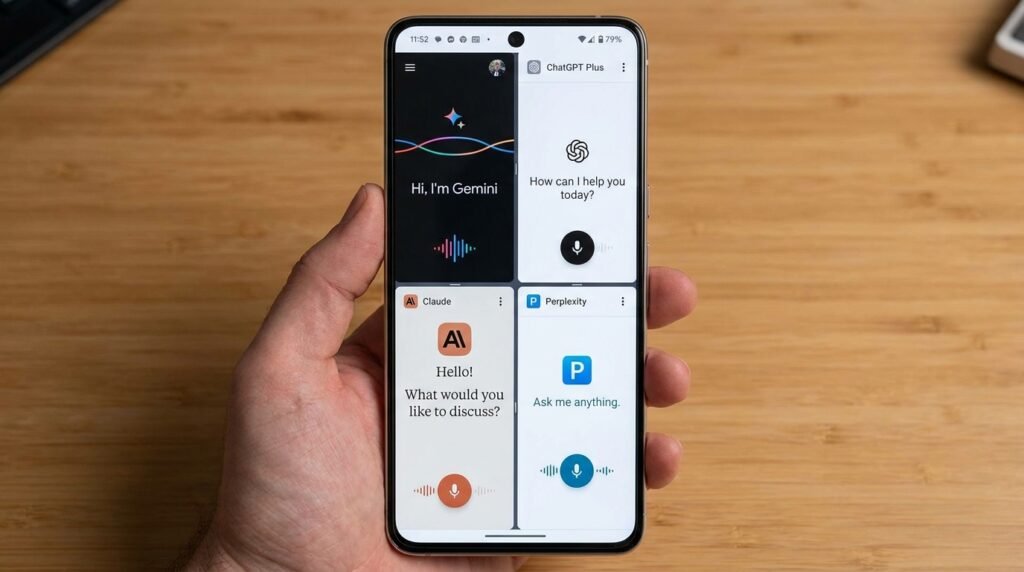
Best AI Assistant Apps for Android in 2026: Gemini, ChatGPT, Claude, and Perplexity
The Mobile AI Revolution in 2026
Mobile computing in 2026 is no longer defined by simple touch interfaces and static application grids. The smartphone experience is now governed by multi-modal artificial intelligence assistants capable of seeing through your camera lens, hearing complex natural voice queries with human-like conversational nuance, controlling local operating system tasks, and synthesizing vast repositories of information in fractions of a second. Android, with its open architectural framework and deep system hook permissions, has emerged as the premier battleground for generative AI integration.
While legacy digital assistants were limited to hardcoded voice triggers and rudimentary web queries, today’s flagship AI applications function as proactive co-processors for your daily productivity. However, choosing the right mobile AI assistant depends on your specific operational needs—whether you prioritize deep system integration, low-latency natural conversational voice modes, advanced coding and document analysis, or real-time web search with fully verifiable citations.
In this comparison guide, we review the five leading Android AI assistant applications of 2026, based on each maker’s published specifications and documented features: Google Gemini Advanced, OpenAI ChatGPT (GPT-4o), Anthropic Claude 3.5 Sonnet, Perplexity AI, and Microsoft Copilot. We compare their voice capabilities, multimodal vision features, Android OS integration, widget customization, data privacy controls, and overall value proposition.
1. Google Gemini Advanced: Deep Android OS Integration & Multimodal Mastery
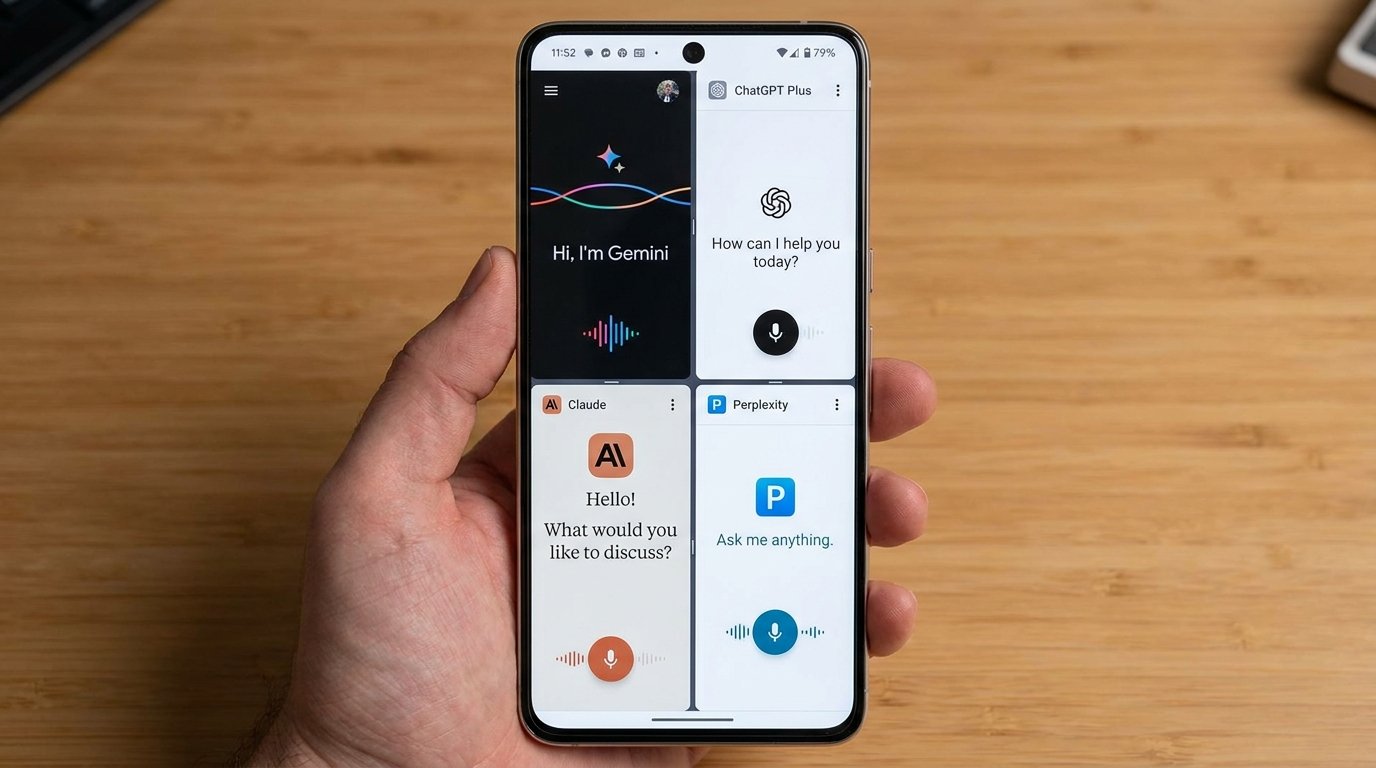
Google’s flagship Gemini Advanced application serves as the native foundational assistant across the Android ecosystem, effectively replacing legacy Google Assistant on modern devices. Powered by Google’s Gemini 1.5 Pro and 2.0 Ultra models, Gemini Advanced is built to bridge on-device AI efficiency (via Gemini Nano) with massive cloud computing clusters.
System Integration & User Experience
Gemini’s primary advantage over every rival application is its deep level of system access. On Android 14, 15, and 16 devices, Gemini can be assigned as the primary device assistant, invoked via a long-press of the power button, a swipe inward from the bottom display corners, or hands-free via the “Hey Google” voice trigger. Unlike third-party apps restricted to sandboxed app windows, Gemini operates as a contextual overlay above any running application.
When triggered while viewing an image, reading an article, or watching a YouTube video, Gemini immediately captures the screen context. Users can prompt Gemini with commands like “Summarize this PDF currently open on my screen” or “Extract all event dates from this image and add them to my Google Calendar.”
Gemini Live & Real-Time Multimodal Vision
With Gemini Live, users can engage in fluid, continuous voice conversations without repeatedly tapping a microphone button. You can interrupt Gemini mid-sentence, shift conversation topics smoothly, and select from ten distinct natural voice tones. Furthermore, Gemini’s real-time camera vision capabilities allow users to point their smartphone camera at hardware components, complex financial charts, or foreign language signs to receive instant audio walkthroughs and contextual troubleshooting advice.
Workspace Extensions & On-Device Processing
Through Google Workspace Extensions, Gemini smoothly queries data across Gmail, Google Drive, Google Docs, Maps, Flights, and YouTube. You can instruct Gemini to “Find the flight itinerary confirmation sent to my Gmail last week and check current flight status on Google Flights,” executing multi-step cross-app queries in seconds. On supported silicon (such as Tensor G3/G4/G5 and Snapdragon 8 Gen 3/Gen 4), background tasks like smart notification summaries, live speech transcription, and instant text editing are handled entirely on-device via Gemini Nano, safeguarding user privacy and eliminating internet latency.
2. OpenAI ChatGPT (GPT-4o): Natural Voice Conversations & Multimodal Intelligence
OpenAI’s official ChatGPT Android application remains the global standard for conversational generative AI. Fueled by the GPT-4o multimodal model, ChatGPT treats text, vision, and audio as unified modalities, resulting in astonishingly fast processing speeds and human-grade conversational dynamics.
Advanced Voice Mode & Low-Latency Dialogue
The defining highlight of ChatGPT on Android is its Advanced Voice Mode. Unlike legacy text-to-speech engines that transcribe voice to text, process text through an LLM, and synthesize speech output, GPT-4o processes native audio input directly. This design aims for more natural conversational pacing, though actual responsiveness varies by device and network conditions.
Advanced Voice Mode senses vocal emotion, pitch changes, and cadence. You can ask ChatGPT to speak in a hushed whisper, adopt a dramatic theatrical persona, or speak fluent conversational Spanish with immediate dialect adjustments. You can interrupt the AI at any microsecond, making it an invaluable tool for language learning, interview prep, and hands-free brainstorming.
Real-Time Vision & Screen Awareness
ChatGPT’s camera mode allows real-time video interaction. Pointing your phone camera at an object—such as a complex mathematical formula, a leaking plumbing valve, or a set of coding lines on a computer monitor—allows GPT-4o to analyze the scene live and talk you through solutions step-by-step. Screen awareness features also allow ChatGPT to inspect what is displayed on your phone display to assist with troubleshooting app configurations.
Custom GPTs, Memory & Android Shortcuts
ChatGPT provides access to thousands of user-created Custom GPTs tailored for specific tasks, such as graphic design generation via DALL-E 3, code debugging, and specialized academic tutoring. The application includes a persistent Memory system, remembering your formatting preferences, professional role, and personal constraints across all past sessions. OpenAI offers solid Android home screen widgets, quick settings tiles, and lock screen shortcuts for instant one-tap voice access.
3. Anthropic Claude 3.5 Sonnet: The Benchmark Leader in Reasoning, Coding & Artifacts
Anthropic’s official Claude Android application has rapidly become the preferred choice for software developers, technical researchers, and power users who demand surgical accuracy, sophisticated reasoning, and exceptional literary nuance. Powered primarily by the industry-leading Claude 3.5 Sonnet model, the app brings desktop-class analytical capability to mobile form factors.
Superior Reasoning & Long-Context Processing
Claude 3.5 Sonnet consistently outperforms competing models on standardized benchmarks for logic, complex coding, and nuanced text generation. With a massive 200,000-token context window (capable of processing over 150,000 words in a single prompt), Claude allows Android users to upload massive PDF research papers, complete codebase repositories, or heavy financial reports via the app’s document picker and receive instantaneous, precise analytical breakdowns.
Mobile Artifacts Integration
A standout feature of the Claude Android app is its support for Artifacts. When Claude generates code snippets, HTML/SVG interactive visual mockups, vector diagrams, or markdown documentation, the app displays the output in a dedicated side-by-side preview canvas alongside your active chat thread. Users can render functional interactive web UI components, play simple vector games created on the fly by Claude, or edit structured documentation without leaving the Android application.
Projects & Knowledge Base Sync
Subscribers to Claude Pro can create specialized Projects that bundle relevant documentation, style guides, and baseline knowledge files. The Android app synchronizes these Projects smoothly, allowing mobile professionals to query project-specific knowledge bases on the go. While Claude currently lacks a real-time voice mode comparable to ChatGPT’s Advanced Voice or Gemini Live, its sheer accuracy and lack of AI “hallucinations” make it an indispensable productivity engine.
4. Perplexity AI: The Premier AI Search & Knowledge Discovery Engine
Perplexity AI approaches generative AI from a fundamentally different perspective: replacing traditional search engine links with comprehensive, direct answers backed by real-time web citations. The Perplexity Android app combines powerful conversational models with live web scraping capabilities.
Pro Search & Multi-Model Flexibility
Perplexity’s flagship feature is Pro Search. When an intricate query is submitted, Pro Search breaks the prompt down into multiple research sub-queries, executes concurrent live web searches, filters out irrelevant clickbait, and synthesizes a structured report complete with numbered inline citations pointing directly to primary source URLs.
Crucially, Perplexity allows users to switch the underlying AI model powering their searches on the fly. Within the Android app settings, Pro subscribers can toggle between Claude 3.5 Sonnet, GPT-4o, Sonar (Perplexity’s fine-tuned model), and Llama 3.3. This gives users the freedom to select the precise model architecture best suited for specific research tasks.
Collections, File Uploads & Voice Widgets
The app offers a feature called Collections, allowing users to organize research threads into dedicated project folders that can be shared publicly or kept private. You can upload images, academic PDFs, and CSV spreadsheets directly from Android file storage to extract tabular data or ask complex analytical questions. Perplexity’s native Android widget provides a sleek search bar with voice input and instant camera search shortcuts directly on your home screen.
5. Microsoft Copilot: Enterprise Productivity & Free Access to Tier-1 Models
Microsoft’s standalone Copilot app for Android serves as a bridge into the Microsoft 365 enterprise ecosystem, offering high-level generative AI capabilities completely free of charge to personal accounts.
Free Access to GPT-4o & DALL-E 3
While OpenAI restricts its most capable models behind paid subscription paywalls after usage caps are reached, Microsoft Copilot grants users free access to GPT-4o and high-resolution image generation via DALL-E 3. Users can toggle between specific conversation styles (Creative, Balanced, and Precise) to tailor output parameters to their exact needs.
Microsoft 365 Integration & Floating Bubble Interface
Copilot integrates directly with Microsoft Word, Excel, PowerPoint, and Outlook. Users logged in with corporate or personal Microsoft accounts can draft email responses, summarize Word documents stored in OneDrive, or generate chart analysis directly on their mobile device. Copilot on Android also supports an opt-in floating action bubble, enabling users to launch Copilot over any active application for instant text summaries and translation.
Head-to-Head Feature Comparison
The table below compares core features and capabilities across the five assistants, based on each maker’s published specifications rather than lab measurements:
| AI Assistant | Voice Mode | System Integration | Vision Support | Context Window | Pricing Tier |
|---|---|---|---|---|---|
| Google Gemini Advanced | Varies by device | Native System Default | Real-time Camera & Screen | 1,000,000+ Tokens | Free / $19.99/mo (Google One) |
| ChatGPT Plus (GPT-4o) | Varies by device | Widget & Quick Tile | Real-time Camera & Screen | 128,000 Tokens | Free / $20.00/mo (Plus) |
| Claude 3.5 Sonnet | Varies by device | Standard App Window | Static Image & Doc Upload | 200,000 Tokens | Free / $20.00/mo (Pro) |
| Perplexity AI | Varies by device | Search Widget | Camera & Image Search | Model Dependent | Free / $20.00/mo (Pro) |
| Microsoft Copilot | Varies by device | Floating Action Bubble | Static Photo Analysis | 128,000 Tokens | Free / $20.00/mo (Pro) |
Privacy, Data Security & Model Training Controls
Deploying AI assistants on your primary smartphone requires careful evaluation of privacy policies and data retention settings. Because these applications process camera feeds, personal document uploads, and conversational audio, managing model training opt-outs is essential:
- Google Gemini: Offers “Gemini Apps Activity” controls inside your Google Account settings. You can pause activity retention, set automatic deletion schedules (3, 18, or 36 months), and disable human reviewer sampling of your prompts.
- OpenAI ChatGPT: Allows users to toggle off “Data Controls > Improve the model for everyone” in app settings. Disabling this prevents OpenAI from using your chat history, voice samples, and uploaded vision files to train future model iterations while preserving your chat logs locally.
- Anthropic Claude: Prioritizes user privacy by default. Anthropic does not train its generative models on user prompts submitted through paid Claude Pro accounts, and free account prompts undergo strict retention purging.
- Perplexity AI: Includes an explicit opt-out toggle under Account Settings labeled “AI Data Utilization.” Disabling this ensures your research history and uploaded document attachments remain strictly private.
Frequently Asked Questions (FAQ)
Can I completely replace Google Assistant with ChatGPT on Android?
While you can set ChatGPT as your default assistant app on many Android versions (allowing it to trigger via long-pressing the power button), third-party apps cannot control system hardware functions like toggling Wi-Fi, turning on the flashlight, or adjusting system volume. For deep hardware control, Google Gemini remains the only fully capable native option.
Do real-time voice modes drain Android battery faster?
Yes. Utilizing continuous voice modes like ChatGPT Advanced Voice or Gemini Live consumes significantly more battery power than standard text interactions. This increase is driven by continuous microphone audio sampling, background noise cancellation algorithms, active display illumination, and continuous cellular data transmission.
Which AI assistant app is best for students and academics?
Perplexity AI is the top choice for students due to its automatic real-time web citations, academic paper filtering, and multi-model switching. Claude 3.5 Sonnet is a close second for its ability to digest long research PDFs and analyze complex mathematical equations accurately.
Final Recommendation & Verdict Matrix
Selecting the optimal Android AI assistant app depends on your daily smartphone usage patterns:
- Choose Google Gemini Advanced if you want deep Android OS automation, hands-free hardware control, and seamless synchronization with Gmail, Google Drive, and Google Docs.
- Choose ChatGPT Plus if you want the most conversational, ultra-low latency real-time voice assistant with vision capabilities and custom GPT extensibility.
- Choose Claude 3.5 Sonnet if you are a programmer, writer, or researcher who requires flaw-free logical reasoning, long document analysis, and interactive code/UI Artifact rendering.
- Choose Perplexity AI if you want to replace traditional search engines with fast, cited, real-time research reports powered by the world’s best AI models.
- Choose Microsoft Copilot if you want free access to GPT-4o models and DALL-E 3 image generation integrated directly with Microsoft 365 office software.
Written by APKMales’ technical staff. Our Android app guides and performance articles are compiled from publicly available documentation, in accordance with our Editorial Policy and Privacy Directives.
Have questions or want to share your own experience? Drop a comment below or reach out to our team. We read every message. You can also learn more about how we research and review on our About Us page.
