
Android Private Space: How to Hide Apps Securely (Android 15/16)
What Is Private Space?
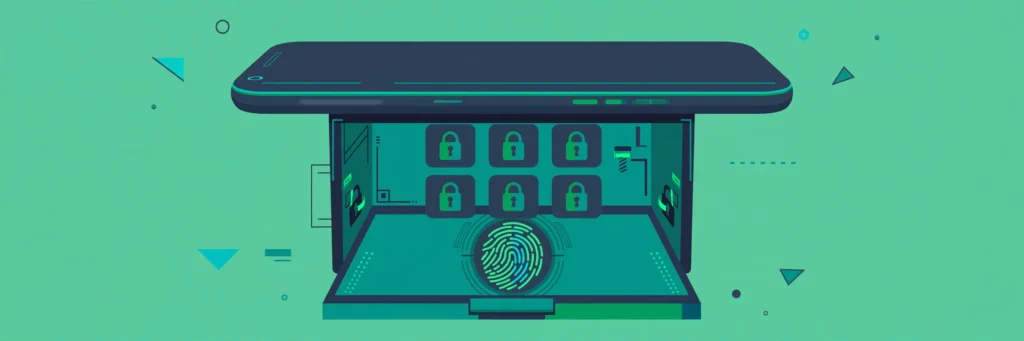
Private Space is a separate, locked area on your phone with its own apps, files, and Google account — invisible until you unlock it with your fingerprint or PIN. Think of it as a second phone inside your phone. It arrived with Android 15 and is refined in Android 16.
Unlike simply hiding apps with a launcher (which anyone can undo in seconds), Private Space is enforced at the system level: its apps don’t appear in the app drawer, recent apps, notifications, settings search, or file managers until unlocked.
What You Can Use It For
- Banking and payment apps you want behind a second lock.
- Work apps and email on a personal phone (separate from personal notifications).
- Photos, notes, or files you don’t want visible when someone borrows your phone.
- A second instance of an app — Private Space can hold its own copy of apps like WhatsApp with a different account.
How to Set Up Private Space
- Open Settings → Security & privacy → Private space.
- Tap Set up and authenticate with your screen lock.
- Sign in with a Google account — you can use your main account or a separate one for stronger separation.
- Choose the auto-lock timing: immediately when the screen turns off is the most secure; after 5 minutes is more convenient.
- Decide whether to hide Private Space when locked — when hidden, it doesn’t even appear at the bottom of the app drawer until you unlock it.
Availability: Private Space needs Android 15+. Samsung phones have their own equivalent called Secure Folder (Settings → Security and privacy → Secure Folder), which works similarly and has existed for years.
Installing and Managing Apps Inside
- Open the app drawer, scroll to the bottom, tap the Private section and unlock it.
- Tap + Install to add apps — you can install fresh from the Play Store (inside Private Space) or clone apps already on your phone.
- Notifications from private apps are hidden until you unlock the space — no message previews leaking on the lock screen.
- To remove everything at once: Settings → Security & privacy → Private space → Delete private space. This permanently erases its apps and data.
Private Space vs. Other Hiding Methods
| Method | Hidden from app drawer | Hidden notifications | Separate lock | System-enforced |
|---|---|---|---|---|
| Private Space | Yes | Yes | Yes | Yes |
| Samsung Secure Folder | Yes | Yes | Yes | Yes (Samsung) |
| Launcher “hide apps” | Partially | No | No | No |
| Third-party “vault” apps | No | No | App-level only | No |
| Work profile | Separate tab | Configurable | Yes | Yes |
The takeaway: launcher hiding and vault apps are cosmetic — they stop casual snoopers but not anyone who looks. Private Space (or Secure Folder) is the real thing.
Limitations Worth Knowing
- Only one Private Space per device — you can’t create several.
- Some device-management or parental-control setups (and a few manufacturers) disable it.
- Private Space apps still use the same network and can be seen by a VPN or DNS log — it’s privacy from people holding your phone, not from networks.
- Backups: Private Space data is included in Google backup only if backup is enabled for that account.
For locking down the rest of your phone, see our guides on biometric security, app permissions, and Android 16 hidden features.
Frequently Asked Questions
Can someone tell I have Private Space set up?
If you enable “hide when locked,” there’s no visible trace in the app drawer. However, the setting itself exists under Security & privacy — someone thoroughly inspecting your settings could find it.
Does Private Space hide photos from the main gallery?
Photos saved by apps inside Private Space stay inside it. But photos in your main storage are still visible — move sensitive files into the private area (or use your gallery’s locked folder) for full coverage.
Is Samsung Secure Folder the same thing?
Functionally very similar — isolated apps, files, and accounts behind separate authentication. If you have a Samsung, Secure Folder is the more mature option; on Pixels and others, use Private Space.
Do private apps still run in the background?
When Private Space is locked, its apps are paused and can’t send notifications or run freely. Unlocking resumes them.
Can I use two WhatsApp accounts with Private Space?
Yes — install WhatsApp inside Private Space and register it with a second number. It’s one of the most popular uses.
