
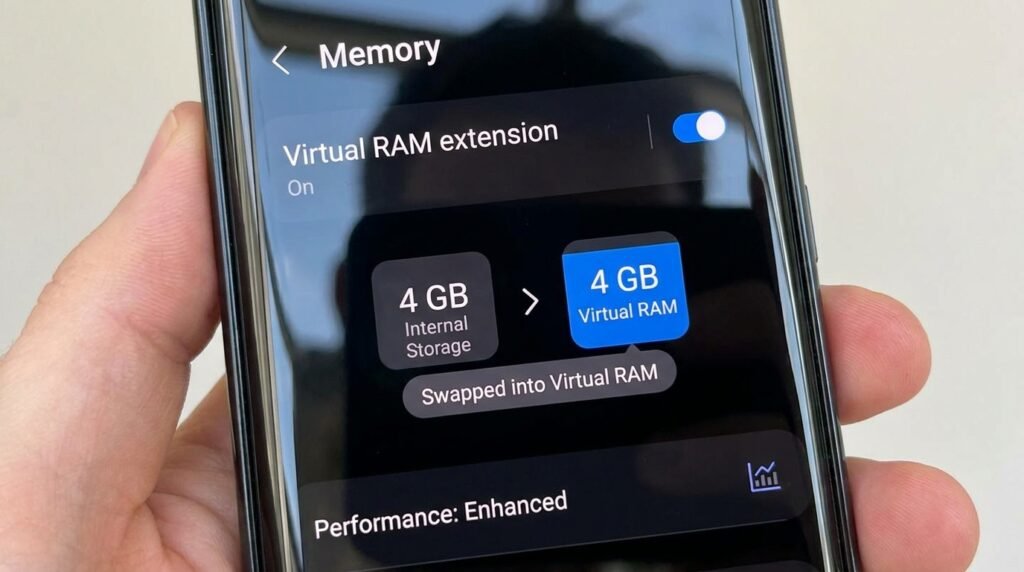
Virtual RAM Expansion on Android: Does RAM Boost Actually Improve Speed?
The Marketing Myth of “Extended RAM”
Nearly every Android smartphone manufacturer now advertises ‘Virtual RAM’, ‘RAM Plus’, or ‘Dynamic Memory Expansion’ as a way to turn flash storage into extra operating memory. But does swapping flash storage as zRAM actually speed up your phone, or does it increase storage wear while slowing down background multitasking? Here is our technical analysis and benchmark verdict on whether you should turn Virtual RAM on or off.
If you have purchased an Android smartphone in recent years—ranging from budget entry-level devices to flagship powerhouses—you have undoubtedly encountered promotional claims highlighting virtual memory features. Manufacturers brand these settings under various names: RAM Plus (Samsung), Memory Extension (Xiaomi/Redmi/POCO), RAM Expansion (OnePlus/OPPO), Dynamic RAM Expansion (Realme), or RAM Boost (Motorola).
Marketing materials boldly advertise that a phone equipped with 8GB of physical RAM can be “boosted” to 16GB of total usable RAM at the flip of a software switch. To average consumers, this sounds like a free hardware upgrade that promises smoother multitasking and faster application performance.
However, from an operating system engineering perspective, physical system memory and storage-based virtual swap memory are fundamentally different technologies. Does Virtual RAM expansion actually make your Android phone faster, or does it introduce micro-stutters, battery drain, and storage degradation? In this deep technical guide, we break down how Android memory management functions under the hood, analyze bandwidth bottlenecks, evaluate NAND flash wear, conduct real-world benchmarks, and explain when you should enable or disable Virtual RAM on your phone.
1. How Android Memory Management Works Under the Hood
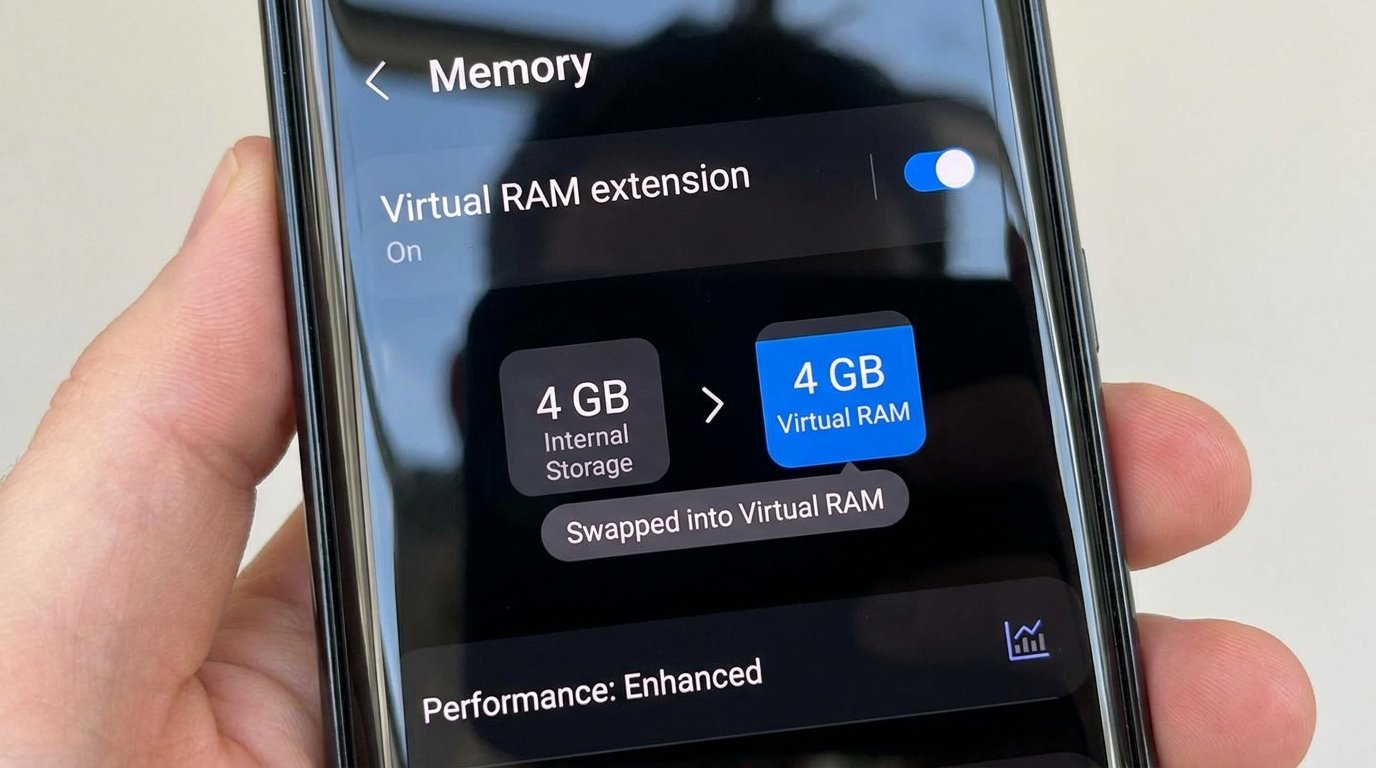
To understand Virtual RAM, one must first explore how the Android Linux kernel handles active applications, system memory caches, and out-of-memory (OOM) events.
A. Physical RAM (LPDDR4X / LPDDR5X)
Random Access Memory (RAM) is high-speed, volatile hardware memory connected directly to your mobile processor’s memory bus. When you open an application, its active code instructions and live state memory are loaded into physical RAM. Physical RAM allows instant, sub-nanosecond access to data. Modern LPDDR5X RAM chips deliver transfer speeds reaching 64,000 MB/s (64 GB/s).
B. zRAM (Compressed RAM Swap)
Android has natively utilized a Linux feature called zRAM for over a decade. zRAM creates a compressed block inside your existing physical RAM. When physical RAM becomes nearly full, the Android Low Memory Killer (LMK) daemon compresses inactive background application memory pages (using fast LZ4 or LZO compression) and stores them within this dedicated zRAM block at a 2:1 or 3:1 compression ratio.
Because zRAM operates entirely within physical ultra-fast RAM, compressing and decompressing background app pages happens almost instantaneously with negligible performance overhead.
C. Virtual RAM Expansion (NAND Flash Swap Partition)
Virtual RAM Expansion takes the concept of swapping a step further. Instead of compressing memory inside physical RAM, the operating system allocates a portion of your phone’s internal flash storage (such as 4GB, 6GB, or 8GB of UFS/eMMC storage) to serve as a permanent paging swap file on disk.
When physical RAM runs out of space, Android moves frozen background application memory pages out of physical RAM and writes them directly to internal flash storage. When you re-open that background app, the operating system must read those memory pages off the flash storage and swap them back into physical RAM.
2. Speed and Latency Analysis: The Massive Bottleneck
The primary flaw of Virtual RAM expansion is the staggering speed disparity between physical RAM modules and internal NAND flash storage chips:
- Physical LPDDR5X RAM Speed: ~51,200 MB/s to 64,000 MB/s.
- UFS 4.0 Storage Speed (Flagships): ~4,200 MB/s Read / 2,800 MB/s Write (15x Slower than RAM).
- UFS 3.1 Storage Speed (Mid-Range): ~2,100 MB/s Read / 1,200 MB/s Write (30x Slower than RAM).
- eMMC 5.1 Storage Speed (Budget): ~330 MB/s Read / 200 MB/s Write (200x Slower than RAM).
When an active background application is swapped out to internal flash storage, retrieving that app does not happen at instantaneous RAM speeds. The CPU must pause active processing threads while reading memory blocks off the vastly slower flash storage bus—causing noticeable UI delays, app reload redraws, and touch latency spikes.
3. Flash Storage Wear and Tear: The Lifespan Risk
Unlike physical LPDDR RAM (which can be read from and written to trillions of times without physical degradation), internal NAND flash storage chips have a strictly finite lifespan measured in Terabytes Written (TBW) or write endurance cycles.
Every time Virtual RAM swaps background application memory to flash storage, it executes heavy continuous write cycles. On budget smartphones equipped with cheaper eMMC 5.1 or low-tier UFS 2.2 storage chips, forcing the OS to continuously write gigabytes of swap memory to disk accelerates flash wear.
Over a period of 1 to 2 years, heavy Virtual RAM usage can degrade storage write speeds, leading to systemic system slowdowns across the entire operating system that cannot be fixed by software updates.
4. Real-World Impact: Virtual RAM On vs. Virtual RAM Off
The practical impact of Virtual RAM expansion can be understood by comparing two configurations — Virtual RAM Disabled (0GB) vs. Virtual RAM Enabled (+8GB Swap) — based on the architectural differences described above. Actual results vary by device, storage type, and usage.
A. Background App Retention
Consider a scenario where many apps are opened sequentially and then revisited to check for forced reloads:
- Virtual RAM Enabled (+8GB): More apps can remain in memory without full reloads. However, switching back to older background apps may introduce a noticeable delay while the OS reads swap pages from flash storage.
- Virtual RAM Disabled (0GB): Fewer apps stay resident, but switching between the apps still in physical RAM is effectively instantaneous, without swap-related delays.
B. Mobile Gaming Stability & Frame Drops
Consider gaming at high graphics settings while other apps remain paused in the background:
- Virtual RAM Enabled (+8GB): Background memory paging events can introduce micro-stutters and frame-rate dips in demanding scenes, since flash storage is far slower than physical RAM.
- Virtual RAM Disabled (0GB): With sufficient physical RAM, frame delivery stays smooth because the system avoids slow flash paging altogether.
Physical RAM vs. Virtual RAM Architecture Comparison
| Memory Attribute | Physical LPDDR5X RAM | System zRAM (Compressed) | Virtual RAM (Flash Swap) |
|---|---|---|---|
| Physical Hardware Location | Dedicated Memory IC Chip | Reserved Block inside Physical RAM | Allocated Partition on Flash Storage |
| Data Transfer Bandwidth | 51,200 MB/s – 64,000 MB/s | ~25,000 MB/s (Post-Compression) | 330 MB/s – 4,200 MB/s (15x–200x Slower) |
| Access Latency | Nanoseconds (<10ns) | Microseconds (<15μs) | Milliseconds (>2.5ms Paging Delay) |
| Hardware Wear Degradation | None (Infinite Cycles) | None | Accelerates NAND Flash Degradation |
| Impact on Gaming FPS | Maximum Frame Rate & Stability | Neutral | May cause stuttering under heavy swap load |
5. When Should You Keep Virtual RAM Enabled vs. Disabled?
Whether Virtual RAM helps or hurts your smartphone experience depends directly on the amount of physical RAM built into your device:
A. Devices with 4GB or 6GB of Physical RAM (Enable Virtual RAM)
If you own an entry-level budget smartphone with only 4GB or 6GB of physical RAM, physical memory is insufficient to run modern Android 14/15/16 operating system services alongside heavy social media apps. On these low-RAM devices, out-of-memory crashes will cause active background apps to abruptly close.
Recommendation: Keep Virtual RAM ENABLED (set to +2GB or +4GB). The slight paging latency is a necessary trade-off to prevent sudden app crashes.
B. Devices with 8GB, 12GB, or 16GB of Physical RAM (Disable Virtual RAM)
If your smartphone has 8GB or more of physical LPDDR5/5X RAM, your device has more than enough physical memory capacity to comfortably hold dozens of active applications and background services simultaneously.
Enabling Virtual RAM on an 8GB+ phone forces the Linux kernel to swap memory to slow storage needlessly, introducing UI micro-stutters and wasting storage endurance.
Recommendation: Turn Virtual RAM OFF completely (0GB) for optimal UI smoothness and lower gaming latency.
6. How to Turn Off or Adjust Virtual RAM across Android Brands
Follow these step-by-step instructions to adjust or disable Virtual RAM expansion on your specific smartphone brand:
Samsung Galaxy (RAM Plus)
- Open Settings > Device Care (or Battery and device care).
- Tap Memory.
- Scroll down to the bottom and select RAM Plus.
- Toggle the main switch to Off (or select the lowest 2GB option).
- Restart your device to apply system changes.
Xiaomi / Redmi / POCO (Memory Extension)
- Open Settings > Additional settings.
- Tap Memory extension.
- Select Off.
- Reboot your phone when prompted.
OnePlus / OPPO / Realme (RAM Expansion)
- Navigate to Settings > About device.
- Tap the RAM tile block.
- Toggle RAM expansion to Off.
- Restart your smartphone.
Frequently Asked Questions (FAQ)
Does Virtual RAM drain smartphone battery faster?
Yes. When Virtual RAM is enabled, the mobile processor must execute additional I/O cycles to write and read memory pages to flash storage, keeping CPU cores and storage bus controllers awake longer. Disabling Virtual RAM slightly improves battery efficiency.
Why do phone manufacturers enable Virtual RAM by default?
Virtual RAM is primarily a marketing tool. Advertising “+8GB Virtual RAM” allows manufacturers to market budget 4GB smartphones as “12GB total RAM” devices on packaging boxes without paying for expensive physical LPDDR5 memory chips.
Will turning off RAM Plus delete my personal photos or app data?
No. Virtual RAM only allocates temporary swap space on disk for system memory pages. Disabling RAM Plus or Memory Extension will not delete your photos, messages, contacts, or installed application data.
Final Verdict
Virtual RAM expansion is not a magic hardware upgrade. While it acts as a helpful safety net for budget devices with 4GB to 6GB of physical RAM to prevent out-of-memory application crashes, it is detrimental on modern smartphones equipped with 8GB, 12GB, or 16GB of physical RAM.
If you own an 8GB+ Android device, turning off RAM Plus or Memory Extension is one of the easiest ways to eliminate UI micro-stutters, reduce gaming frame drops, preserve flash storage health, and experience the true speed of physical LPDDR5 memory in 2026.
Compiled from publicly available documentation in accordance with our Editorial Policy and Privacy Directives.
Have questions or want to share your own experience? Drop a comment below or reach out to our team. We read every message. You can also learn more about how we test and review on our About Us page.
