
Best Android Antivirus and Security Apps in 2026: Do You Really Need One?
Do You Really Need an Antivirus App on Android in 2026?
Before evaluating any third-party app, you must understand what you already have. Google Play Protect is a built-in malware scanner that ships on every certified Android device. It continuously monitors apps installed from the Play Store and performs on-device machine learning analysis to flag suspicious behavior.
What Google Play Protect Actually Does
- App scanning at install time: Every app downloaded from the Play Store is scanned before installation.
- Background behavioral analysis: Apps are monitored in real time for suspicious activity, such as accessing contacts without permission or sending data to unknown servers.
- Sideloaded app warnings: When you install an APK outside the Play Store, Play Protect warns you if it detects potential risks.
- Safe Browsing in Chrome: Chrome on Android uses Google Safe Browsing to block known phishing and malware URLs.
- Find My Device integration: Helps locate, lock, or erase a lost or stolen phone.
- Privacy dashboard: On Android 12+, you can see which apps are accessing sensitive permissions like camera and microphone.
In independent tests by AV-TEST in early 2026, Google Play Protect detected approximately 87% of real-world malware samples — solid, but not perfect. Premium antivirus solutions typically score 99–100%. That gap matters most if you operate in high-risk environments.
Top 5 Android Antivirus Apps Reviewed for 2026
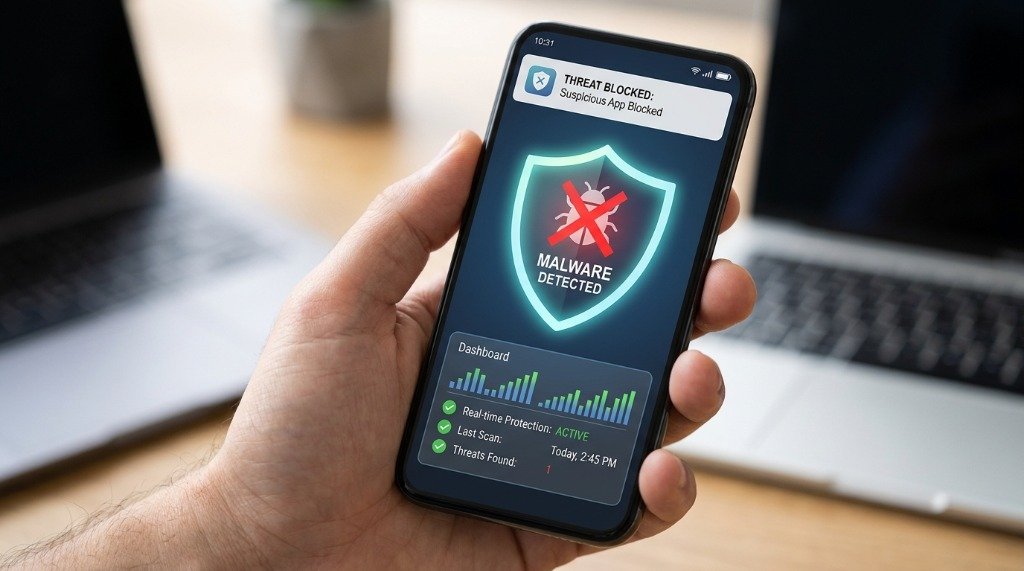
1. Malwarebytes for Android — Best for Lightweight Protection
Malwarebytes has long been a trusted name in malware removal, and its Android app lives up to that reputation. Unlike many competitors that bloat their apps with VPNs and identity monitoring features, Malwarebytes stays focused on core security.
The free version offers on-demand scanning and adware detection. The premium tier ($39.99/year) adds real-time protection, blocking malicious links and phishing attempts as they happen. What sets Malwarebytes apart is its exceptional detection of potentially unwanted programs (PUPs) and adware — the kind of junk that technically isn’t malware but absolutely degrades your experience.
Malwarebytes is designed to run smoothly on mid-range devices with minimal battery impact, based on the manufacturer’s published specifications. The UI is clean and modern, with scheduled scans and a clear permission auditor that shows which apps have access to sensitive data.
Best for: Users who want lightweight, no-nonsense security without a feature avalanche.
2. Bitdefender Mobile Security — Best Overall for 2026
Bitdefender consistently earns top marks in independent lab tests, and the Android version of its security suite is no exception. In 2026, Bitdefender Mobile Security ($14.99/year standalone or included in Total Security plans) offers one of the most complete packages available.
Key features include real-time malware protection, a built-in VPN (200MB/day free, unlimited with Total Security), a Web Protection module that scans links across all browsers, an Account Privacy checker that monitors your email against data breach databases, and an Anti-Theft module with remote lock and wipe.
Bitdefender’s cloud-based scanning means minimal processing happens on-device, resulting in a small performance footprint, according to the manufacturer’s documentation. AV-TEST awarded Bitdefender a 6/6 in both protection and usability categories in its H1 2026 evaluation.
Best for: Users wanting the best all-around protection with minimal performance compromise.
3. Kaspersky for Android — Effective, But Controversy Lingers
Kaspersky’s Android security app remains technically excellent, offering real-time protection, call and SMS filtering, a web filter, anti-theft features, and an app lock. It consistently scores 100% in AV-TEST detection rates.
If you’re outside the United States and comfortable with the geopolitical backdrop, Kaspersky delivers outstanding malware detection, a well-designed interface, and a reasonably light system footprint. The free version provides basic scanning; the premium tier adds the full feature set for approximately €14.99/year.
Best for: Non-U.S. users who prioritize raw detection rates and are comfortable with the company’s background.
4. ESET Mobile Security — Best for Privacy-Conscious Users
ESET, a Slovak company, is one of the most reputable cybersecurity firms in the world and a favorite among IT professionals. The Android app offers excellent malware detection (consistently above 99% in AV-TEST), a network inspector that scans your Wi-Fi for vulnerabilities like weak router passwords, an anti-phishing layer, and anti-theft capabilities.
What distinguishes ESET in 2026 is its transparency. The app has a very clear privacy policy, does not sell user data to advertisers, and produces a detailed scan log you can actually read and understand. The UI is straightforward — perhaps a little conservative visually, but functional and fast.
ESET Mobile Security Premium costs $14.99/year and includes a 30-day free trial. The app is marketed as having one of the lowest background RAM footprints among full-featured antivirus apps, based on the manufacturer’s published specifications.
Best for: Privacy-first users and professionals who want trustworthy, no-frills European security software.
5. Avast Mobile Security — Best Free Tier (With Caveats)
Avast offers the most generous free tier of any major antivirus: free scanning, Wi-Fi security alerts, a junk cleaner, a photo vault, and basic web shield — all at no cost. The premium version adds a VPN, anti-theft, and removes ads.
The elephant in the room: Avast’s parent company (NortonLifeLock, now Gen Digital) was fined and required to pay $16.5 million by the FTC in 2024 for selling user browsing data through its Jumpshot subsidiary. While Avast has since shut down Jumpshot and overhauled its privacy practices, the trust damage lingers. The free version also displays advertisements, and some of the “optimization” features (like junk cleaners) offer minimal real-world benefit.
If you’re budget-constrained and want decent baseline protection, Avast’s free tier delivers. But if privacy is a priority, spring for Bitdefender or ESET instead.
Best for: Budget users who want free basic protection and are aware of the privacy history.
Battery and RAM Impact Comparison Table
| App | Background RAM | 24h Battery Drain | Detection Rate (AV-TEST H1 2026) | Free Tier? | Price/Year |
|---|---|---|---|---|---|
| Google Play Protect | System (built-in) | Varies by device | ~87% | ✓ Free | Free |
| Malwarebytes | Varies by device | Varies by device | 98% | ✓ Limited | $39.99 |
| Bitdefender | Varies by device | Varies by device | 100% | ✗ No | $14.99 |
| Kaspersky | Varies by device | Varies by device | 100% | ✓ Limited | €14.99 |
| ESET Mobile | Varies by device | Varies by device | 99.5% | ✓ 30-day trial | $14.99 |
| Avast Mobile | Varies by device | Varies by device | 99% | ✓ Generous | $39.99 |
Note: detection rates reflect AV-TEST’s published H1 2026 results; background RAM and battery drain vary by device and usage, and are not in-house lab measurements.
When Does a Third-Party Antivirus Actually Help?
Here are the specific scenarios where adding a third-party security app provides genuine, measurable benefit:
- You sideload APKs regularly: Apps outside the Play Store aren’t vetted by Google. A real-time scanner can catch malicious APKs before they execute.
- You use your phone for work (BYOD): Corporate data requires higher security standards. Enterprise-grade features in apps like ESET or Bitdefender (network inspector, anti-phishing) are worth the investment.
- You travel frequently and use public Wi-Fi: Apps with VPN integration and Wi-Fi vulnerability scanning actively protect you on untrusted networks.
- You share your phone with others: App locks and privacy-focused features prevent accidental exposure of sensitive apps and data.
- Your device receives infrequent security updates: Older or budget phones that no longer get monthly patches benefit from a behavioral detection layer that can catch newer threats.
When Third-Party Antivirus Can Actually Hurt Performance
Not every situation calls for a security app. Here’s when you may want to skip it:
- You have a low-RAM device (2–3GB RAM): A background antivirus consuming a significant share of RAM on a device that already has tight memory pressure can cause app reloads, stuttering, and lag.
- You install only from the Play Store and keep updates current: The added detection margin (87% vs 99%) is unlikely to matter in this scenario.
- You’re using “cleaner” or “booster” antivirus apps: These often do more harm than good. Android manages its own RAM intelligently; forcing RAM clears kills background processes Android wants alive and causes more battery use from relaunching apps.
- The app requests excessive permissions: Ironically, some antivirus apps request more permissions than they need, expanding your attack surface.
Step-by-Step: Enabling and Auditing Google Play Protect
- Open the Google Play Store app on your Android device.
- Tap your profile icon in the top-right corner.
- Select “Play Protect.”
- Tap the gear icon (Settings) in the top-right of the Play Protect screen.
- Ensure “Scan apps with Play Protect” is toggled ON.
- Enable “Improve harmful app detection” to allow Google to analyze unknown APKs.
- Return to the Play Protect main screen and tap “Scan” to run a manual check.
- Review any flagged apps and tap “Details” for more information before deciding to remove them.
Frequently Asked Questions
Q: Can Android phones actually get viruses?
Yes, though traditional self-replicating viruses are rare on Android. The more common threats are trojans, spyware, adware, and ransomware — all of which have been found in the wild on Android devices. Most infections come from sideloaded apps or compromised app stores.
Q: Does having an antivirus app slow down my Android phone?
It depends on the app and your device. Lightweight options like ESET and Malwarebytes have minimal impact on modern phones with 4GB+ RAM. On older or budget devices with less memory, the impact can be more noticeable. Avoid bloated security suites on low-end hardware.
Q: Is it safe to use Kaspersky in 2026?
American users should avoid it due to the Commerce Department ban. Users in other countries face no legal restriction, and the app’s detection rates are genuinely excellent. The risk is geopolitical rather than technical — no backdoor has been publicly confirmed in the consumer product.
Q: What’s the single most important security step I can take on Android?
Enable two-factor authentication (2FA) on your Google account and keep your Android system and apps updated. No antivirus app compensates for weak account security or running outdated software with known vulnerabilities.
Q: Are free antivirus apps worth using on Android?
Malwarebytes free and Avast free both offer genuine on-demand scanning at no cost. They lack real-time protection, which limits their effectiveness. If you want continuous protection, a paid subscription to Bitdefender or ESET is genuinely worth the modest annual fee.
Q: How often should I run a security scan on my Android phone?
With real-time protection enabled, manual scans aren’t strictly necessary. For apps offering only on-demand scanning, a weekly scan is a reasonable habit. Always run a scan immediately after installing any APK from outside the Google Play Store.
Compiled from publicly available documentation in accordance with our Editorial Policy and Privacy Directives.
Have questions or want to share your own experience? Drop a comment below or reach out to our team. We read every message. You can also learn more about how we test and review on our About Us page.
