
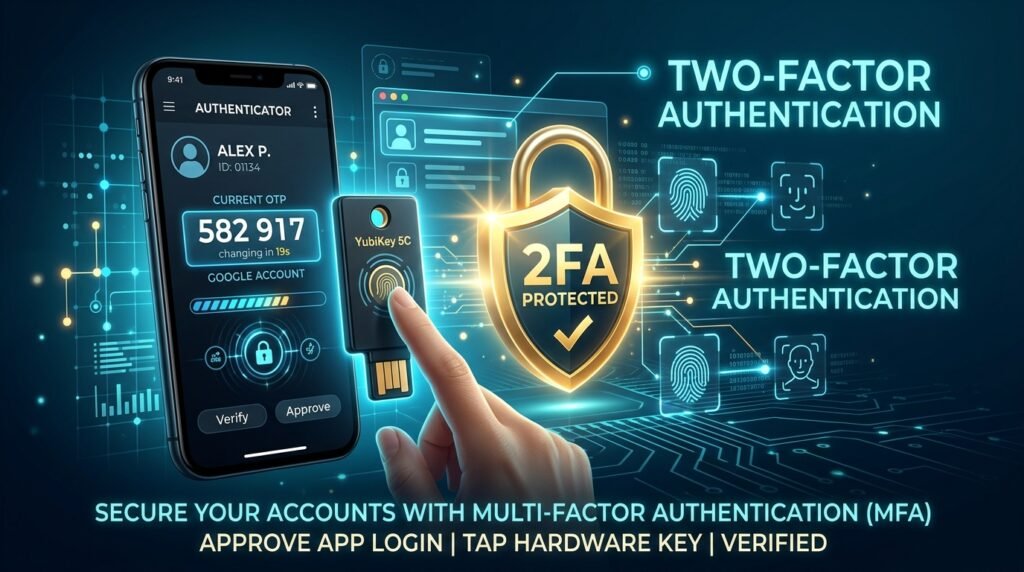
Top 5 Best 2FA Authenticator Apps for Android (2026): Aegis vs Ente vs Bitwarden
Relying solely on SMS for two-factor authentication is a major security risk due to SIM swapping attacks. A dedicated 2FA authenticator app generates secure, time-based one-time passwords (TOTP) directly on your device offline. We researched and compared the best 2FA authenticator apps for Android in 2026 based on encryption strength, cloud backup security, and open-source audit status.
Why Two-Factor Authentication Is Non-Negotiable in 2026
Finding the right two factor authenticator for your Android device can make a real difference in your daily productivity and experience. In this guide, we have researched and compared the top options available in 2026, so you can make an informed decision without spending hours researching.
Passwords alone are no longer sufficient to protect your digital life. Data breaches expose billions of credentials every year, credential-stuffing bots test stolen passwords across hundreds of sites simultaneously, and phishing campaigns have become sophisticated enough to fool even security-aware users. Two-factor authentication (2FA) adds a second verification layer that an attacker cannot bypass even if they have your password — because they would also need physical access to your authenticator app or hardware key.
Most 2FA systems use either TOTP (Time-based One-Time Passwords) or HOTP (HMAC-based One-Time Passwords). Understanding the difference matters when you are choosing an app and configuring your accounts.
TOTP vs HOTP: What Is the Difference?
- TOTP (RFC 6238): Generates a new 6 or 8 digit code every 30 seconds based on the current time and a shared secret. This is the most widely used 2FA method. Google Authenticator, Microsoft Authenticator, and the apps in this review all use TOTP by default. Codes expire, so even a stolen code becomes worthless after 30 seconds.
- HOTP (RFC 4226): Generates codes based on a counter that increments each time a code is used, not on time. The code does not expire until it is actually consumed. HOTP is used in some hardware tokens and for offline scenarios where clock synchronisation is difficult. It is less common in mobile apps.
1. Aegis Authenticator — Best Free and Open-Source Option
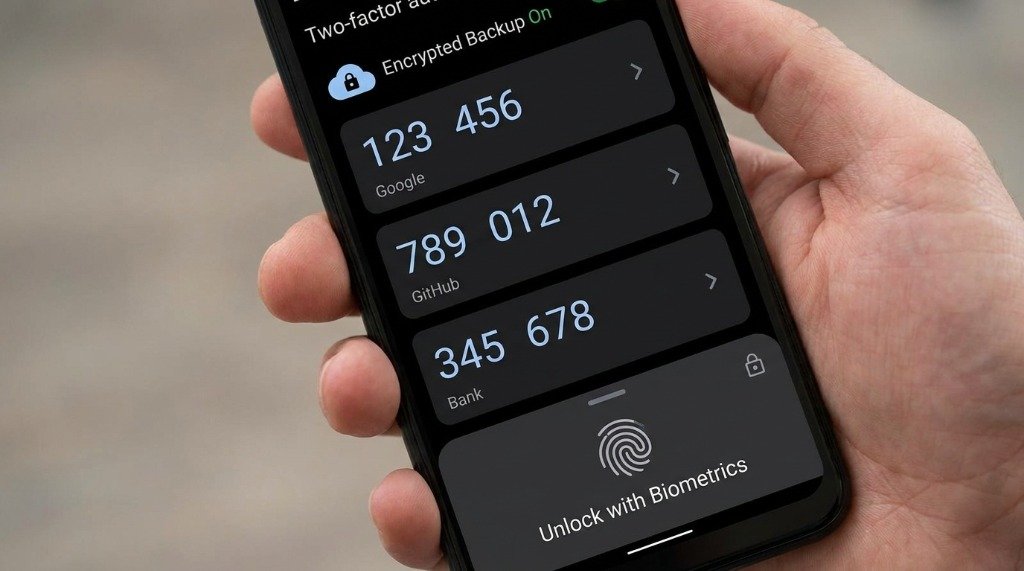
Aegis is a free, open-source TOTP/HOTP authenticator developed by the community and audited by external security researchers. It is available on F-Droid and Google Play and has no telemetry, no ads, and no account requirement. If your priority is privacy and you want full control over your data, Aegis is the gold standard for Android 2FA apps.
Key Features
- AES-256-GCM encrypted vault stored entirely on your device
- Biometric lock (fingerprint / face) with PIN fallback
- Encrypted backup export to any cloud storage of your choice (Google Drive, Dropbox, local)
- QR code scan, manual entry, and import from Google Authenticator, Authy, and other apps
- TOTP, HOTP, and Steam Guard token support
- Customisable icon for each account entry
- Tap-to-reveal codes with auto-hide for shoulder-surfing protection
- Open-source code available on GitHub, independently audited
What Aegis Does Not Have
Aegis is deliberately local-only. There is no built-in cloud sync — you manage your own backups. This is a security feature (no servers to breach), but it means you must remember to export and store encrypted backups manually. There is also no browser extension or cross-platform desktop app.
2. Ente Auth — Best for Cross-Platform Cloud Sync
Ente Auth is the authenticator companion from the same company that builds Ente Photos, an end-to-end encrypted photo backup service. Ente Auth stores your 2FA vault using end-to-end encryption on Ente’s own servers, meaning even Ente employees cannot see your secrets. The app is fully open-source and offers native clients for Android, iOS, web, macOS, Linux, and Windows.
Key Features
- End-to-end encrypted cloud backup — encryption happens on your device before data leaves
- Cross-platform: Android, iOS, web, macOS, Linux, Windows
- Free tier includes unlimited 2FA entries with cloud sync
- Biometric lock with PIN fallback
- Import from Google Authenticator, Aegis, Bitwarden, Raivo, and others
- Offline mode — app works without internet once tokens are synced
- Open-source (GitHub)
- Shareable vault entries for family use cases
Privacy and Security Model
Ente uses a zero-knowledge architecture. Your master password and device-derived key are never transmitted — only ciphertext reaches Ente servers. This means account recovery requires your saved recovery key, and if you lose both your password and your recovery key, your data is permanently unrecoverable. Store your recovery key in a secure, offline location.
3. Bitwarden Authenticator — Best for Bitwarden Password Manager Users
Bitwarden, the leading open-source password manager, launched a standalone Authenticator app in 2024 as a free companion. Unlike the TOTP integration inside the main Bitwarden app (which is a Premium feature), the Bitwarden Authenticator app is completely free and does not require a Bitwarden account.
Key Features
- Completely free, no account required
- Open-source (GitHub)
- TOTP support with QR scan and manual entry
- Biometric and PIN protection
- Encrypted local vault
- Import/export in JSON format
- Integration with Bitwarden password manager (autofill TOTP alongside passwords)
Limitations
At the time of writing, the standalone Bitwarden Authenticator does not yet offer cloud sync between multiple devices — you manage backups manually via export. If you pay for Bitwarden Premium ($10/year), you get TOTP inside the main password manager app with full vault sync, effectively eliminating the need for a separate authenticator app. For free users, Bitwarden Authenticator is a solid, trustworthy option but not yet as feature-complete as Aegis or Ente.
4. Proton Pass Authenticator — Best for the Proton Ecosystem
Proton Pass is the password manager from Proton, the Swiss privacy company behind ProtonMail and Proton VPN. It includes built-in TOTP authentication as a core feature, not a paid add-on. If you already use Proton Mail or Proton VPN, Proton Pass integrates 2FA codes directly into your password entries, auto-filling credentials and OTP codes in a single tap.
Key Features
- TOTP integrated with password entries (no separate lookup needed)
- End-to-end encrypted vault with zero-knowledge architecture
- Cross-platform: Android, iOS, Chrome, Firefox, Safari, Brave
- Unlimited items on the free tier
- Alias email generation (hide-my-email style) for privacy
- Passkey support for FIDO2 authentication
- Swiss jurisdiction data storage
Proton Pass vs Dedicated Authenticators
Security researchers debate whether combining your password and 2FA in one app is wise — if that app is compromised, an attacker gets both factors at once. Proton counters this by requiring biometric or PIN authentication for every access and using strict zero-knowledge encryption. For convenience-focused users already in the Proton ecosystem, the workflow benefits outweigh the theoretical risk for most threat models.
5. Yubico Authenticator — Best for Hardware Security Key Users
Yubico Authenticator works differently from every other app on this list. Rather than storing your TOTP secrets in the phone’s encrypted storage, it stores them on your physical YubiKey hardware security key. The Android app reads codes from the YubiKey over NFC or USB-C — your secrets never live on the phone itself.
Key Features
- TOTP secrets stored on YubiKey hardware, not the phone
- Works via NFC (tap the YubiKey to your phone) or USB-C
- Supports FIDO2, WebAuthn, U2F, OATH-TOTP, OATH-HOTP, and PIV
- Phishing-resistant hardware authentication for FIDO2-compatible sites
- No cloud dependency whatsoever
- Supports up to 32 OATH credentials on a single YubiKey 5 NFC
Who Needs Yubico Authenticator?
This setup is ideal for journalists, activists, executives, and anyone facing targeted phishing attacks. Because the TOTP secret is in the hardware key, stealing your phone gains an attacker nothing — they would also need the physical YubiKey. FIDO2 keys additionally provide phishing-proof authentication on supported sites (Google, Microsoft, GitHub, Twitter/X) because the key signs the exact domain, making lookalike phishing domains cryptographically impossible to exploit.
Full Feature Comparison Table
| Feature | Aegis | Ente Auth | Bitwarden Auth | Proton Pass | Yubico |
|---|---|---|---|---|---|
| Price | Free | Free / Paid | Free | Free / Paid | Free + HW key |
| Open Source | ✅ | ✅ | ✅ | ✅ | ✅ |
| Cloud Sync | ❌ (manual) | ✅ E2EE | ❌ (manual) | ✅ E2EE | ❌ |
| Biometric Lock | ✅ | ✅ | ✅ | ✅ | ✅ |
| AES-256 Encryption | ✅ | ✅ | ✅ | ✅ | HW secure element |
| FIDO2 / U2F | ❌ | ❌ | ❌ | Passkeys only | ✅ Full FIDO2 |
| Cross-Platform | Android only | All platforms | Android / iOS | All platforms | All platforms |
| TOTP + HOTP | ✅ | TOTP only | TOTP only | TOTP only | ✅ |
| Account Required | ❌ | ✅ | ❌ | ✅ | ❌ |
How to Set Up 2FA Securely: Best Practices
Always Save Your Recovery Codes
Every service that supports 2FA also provides one-time recovery codes for account access if you lose your authenticator. Download and store these in a fireproof safe, a secure password manager, or printed paper in a physically secure location. Never store them only digitally — if your phone and cloud account are both inaccessible simultaneously, your recovery codes are your last resort.
Back Up Your Authenticator Vault
With Aegis, schedule a weekly encrypted backup export to a cloud service of your choice. With Ente Auth, your data is continuously synced — just make sure you have your recovery key stored safely. Losing your authenticator app without a backup and without recovery codes means permanent account lockout on most services.
Enable 2FA on Your Email Account First
Your email account is the master key to your digital life — password reset links go there. Secure it with 2FA before any other account. If an attacker gains access to your email, every other account becomes vulnerable through password resets. After email, prioritise financial accounts, password managers, and domain registrars.
Consider a Hardware Key for Critical Accounts
TOTP codes can theoretically be phished in real-time by sophisticated attackers who relay your code to the real site within the 30-second window. FIDO2 hardware keys (YubiKey, Google Titan Key) are cryptographically phishing-proof. For accounts like GitHub, Google Workspace admin, or financial institutions that support FIDO2, the $25–$50 investment in a hardware key is worthwhile.
Final Recommendation
For most Android users in 2026, Ente Auth offers the best balance of security, convenience, and cross-platform access. Its end-to-end encrypted sync means you will never lose your tokens when switching phones. Privacy purists and technically advanced users should choose Aegis — the audited, zero-server-dependency solution with the strongest offline security model. If you use a YubiKey, pair it with the Yubico Authenticator for maximum account security. And if you are already a Bitwarden or Proton user, the built-in 2FA features of those ecosystems make a separate standalone app unnecessary.
Whatever you choose, enabling 2FA is exponentially more important than which app you choose. Any 2FA is dramatically better than no 2FA — start today.
