

Best Open-Source Android Keyboards for Privacy and Customization (2026)
Your mobile keyboard sees every password, credit card number, and private message you type. Proprietary keyboards like Gboard and SwiftKey record telemetry data and connect to remote servers. Switching to an open-source keyboard gives you complete privacy while keeping glide typing, themes, and custom layouts. Here are the best open-source Android keyboards available in 2026.
Best Open-Source Android Keyboards for Privacy and Customization (2026)
Every time you type on your smartphone, your keyboard app sees everything: passwords, banking PINs, private messages, search queries, and intimate conversations. Most mainstream keyboards — including some of the most popular ones in the Play Store — transmit keystroke data to remote servers to improve their AI models. If you’ve ever felt uneasy about that, you’re right to be.
Open-source Android keyboards flip this model completely. They’re free to inspect, carry no hidden network calls, and many offer impressive feature sets that rival proprietary alternatives. In 2026, the lineup of quality open-source keyboards has never been stronger. Here’s what you need to know.
1. FUTO Keyboard — The New Gold Standard
Released by the FUTO organization (founded by YouTube co-founder Jawed Karim), FUTO Keyboard is arguably the most ambitious privacy-first keyboard project of the decade. It performs on-device voice input using a local Whisper AI model — no audio ever leaves your phone. Its gesture (swipe) typing is powered by a local machine learning model, again with zero server calls.
Key Features
- Local voice-to-text: Runs OpenAI Whisper on-device. Works offline.
- Swipe typing: Local ML-based gesture recognition, surprisingly accurate.
- 50+ language support with downloadable language packs (no internet required after download).
- Zero network permissions in the manifest — verified.
- Open-source on GitHub under the FUTO license (source-available with restrictions on commercial use).
- Customizable themes, key height, and haptic feedback intensity.
Best For
Users who want a full-featured keyboard that rivals Gboard in capability but with provable privacy. The on-device voice input alone is worth the switch for many users.
How to Install
Available on the Play Store, F-Droid (via FUTO’s own repository), and as a direct APK from keyboard.futo.org. The F-Droid version may lag slightly behind the Play Store release.
2. AnySoftKeyboard — The Veteran Powerhouse
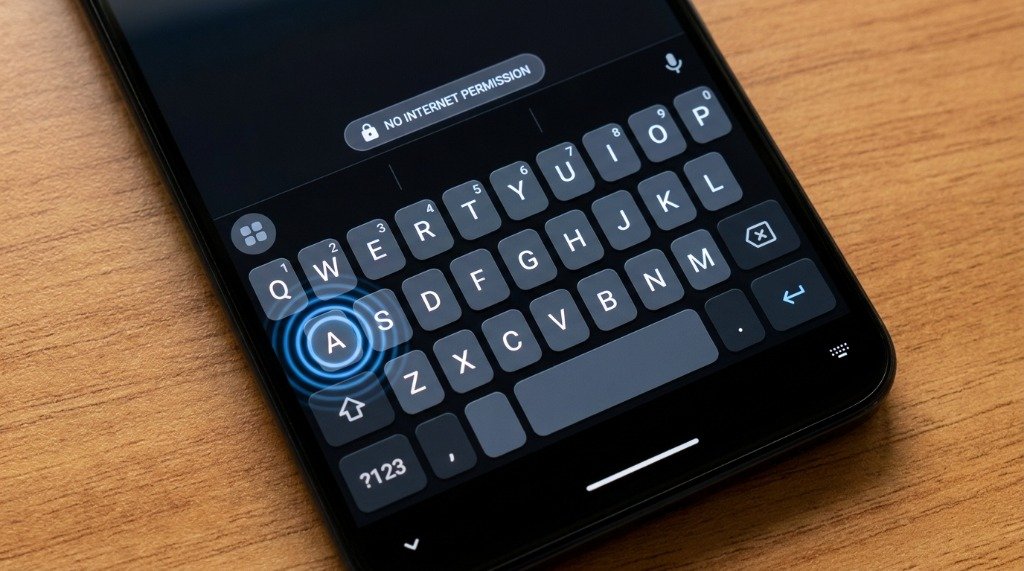
AnySoftKeyboard (ASK) has been in active development since 2010, making it one of the oldest surviving open-source keyboard projects. It boasts an extraordinary number of language packs — over 60 — each available as a separate plugin from F-Droid or the Play Store. If you need to type in Armenian, Tamil, or Dzongkha, ASK almost certainly has you covered.
Key Features
- 60+ language packs as installable plugins — add only what you need.
- Multiple keyboard layouts: QWERTY, Colemak, Dvorak, T9, and more.
- Incognito mode: Disables all word suggestions and dictionary storage on demand.
- Compact/one-handed mode for smaller screens or single-hand use.
- No internet permission in the base app.
- Fully available on F-Droid and GitHub.
Limitations
The UI feels dated compared to modern keyboards — don’t expect polished animations or a slick settings menu. Swipe/gesture typing is also absent. But if you type primarily and value raw language coverage, nothing beats ASK.
3. OpenBoard — The Minimal, AOSP-Derived Option
OpenBoard is a fork of AOSP’s (Android Open Source Project) default keyboard, the same codebase that powers the stock keyboard on Pixel phones. The OpenBoard project strips out all Google dependencies and telemetry, leaving a clean, lightweight keyboard with no tracking whatsoever.
Key Features
- Based on AOSP keyboard — familiar layout for Android veterans.
- Spell check and autocorrect via Android’s system dictionary (no cloud call).
- Custom themes: change keyboard color, background, and key border style.
- Gesture/swipe typing supported (relies on Android’s built-in gesture library).
- Very small APK size (~10MB) — ideal for low-storage devices.
- Available on F-Droid; actively maintained as of 2026.
Best For
Anyone who wants a no-fuss, lightweight keyboard that just works. OpenBoard is the keyboard equivalent of a stock Android experience — clean, predictable, and fast.
4. FlorisBoard — The Ambitious Up-and-Comer
FlorisBoard is a ground-up rewrite of what an open-source keyboard should be, built entirely in Kotlin with Jetpack Compose for the settings UI. It’s been in active development for several years and has matured significantly. As of early 2026, it’s in late beta and is fully usable as a daily driver.
Key Features
- Built-in clipboard manager with privacy-aware auto-clear.
- Smart bar: Context-aware suggestions bar that adapts to apps.
- Full theme engine: Create custom themes with color pickers, key shapes, and border radius control.
- Emoji keyboard with search.
- Currency and special character rows fully configurable.
- No internet permission; all processing is local.
- Available on F-Droid and GitHub.
Current Status
FlorisBoard is still labeled beta, and gesture typing is not yet available (it’s on the roadmap). But for typed input, it’s excellent. Watch this project closely — it may become the definitive open-source keyboard once gesture support lands.
5. Simple Keyboard — Absolute Minimalism
Sometimes you just want a keyboard that types characters and gets out of the way. Simple Keyboard by Raimondas Linas is exactly that. No autocorrect, no suggestions, no emoji panel, no swipe — just keys. The entire app is under 2MB.
Key Features
- Ultra-lightweight: under 2MB installed.
- Dark and light themes.
- Zero permissions — not even storage.
- Multiple language layouts available.
- Ideal for security-sensitive inputs where autocorrect history is a concern.
- Available on F-Droid and GitHub.
Best For
Power users who do their own autocorrection mentally, developers who want to test app text input without keyboard interference, or anyone on a device with very limited resources.
My Take: Pro tip from personal experience: always restart your phone after making these changes. It makes a real difference.
How to Install Open-Source Keyboards via F-Droid
F-Droid is the premier open-source Android app store. Every app on F-Droid is verified to be free and open-source, and the repository is built from source code. Here’s how to get started:
- Visit f-droid.org on your phone’s browser and download the F-Droid APK.
- Enable Install from unknown sources for your browser in Settings → Apps → Special app access.
- Install F-Droid, then open it and let it update its repository index.
- Search for your keyboard of choice (OpenBoard, FlorisBoard, AnySoftKeyboard, Simple Keyboard).
- For FUTO Keyboard, add the FUTO repository in F-Droid: Settings → Repositories → Add repository → paste the FUTO repo URL from keyboard.futo.org.
- Install your chosen keyboard.
- Go to Settings → General Management → Keyboard list and default to enable and set it as default.
How to Import Custom Dictionaries
Several open-source keyboards support custom word dictionaries — useful for technical vocabulary, medical terms, or regional slang not in the default wordlist.
AnySoftKeyboard Custom Dictionary
- Open AnySoftKeyboard settings → User dictionary.
- Tap Import and select a plain text file (.txt) with one word per line.
- Words will be weighted higher in autocomplete suggestions.
OpenBoard Custom Dictionary
OpenBoard uses Android’s system Personal Dictionary. Go to Settings → General Management → Language → On-screen keyboard → Personal dictionary. Add words manually or import via compatible dictionary apps. Each word can have a shortcut — type “omw” and it expands to “On my way!”
Privacy Comparison Table
| Keyboard | Internet Permission | Local Gesture Typing | Voice Input | Custom Themes | F-Droid Available |
|---|---|---|---|---|---|
| FUTO Keyboard | ❌ None | ✅ Yes (on-device ML) | ✅ Local Whisper | ✅ Yes | ✅ (FUTO repo) |
| AnySoftKeyboard | ❌ None | ❌ No | ❌ No | ✅ Yes | ✅ Yes |
| OpenBoard | ❌ None | ✅ (AOSP-based) | ❌ No | ✅ Yes | ✅ Yes |
| FlorisBoard | ❌ None | 🔄 Coming soon | ❌ No | ✅ Advanced | ✅ Yes |
| Simple Keyboard | ❌ None | ❌ No | ❌ No | ✅ Basic | ✅ Yes |
Switching From Gboard: What You’ll Miss and What You Won’t
Making the switch to an open-source keyboard does come with some trade-offs. Gboard’s autocorrect is trained on billions of text inputs and is exceptionally good at predicting what you meant to type — especially for informal language. You’ll also lose Google Lens integration and Google Translate in the keyboard.
What you gain is substantial: peace of mind that your keystrokes aren’t being used to train a cloud model, faster keyboard loading on low-RAM devices (no network initialization), and full functionality in airplane mode. For most users, FUTO Keyboard closes the quality gap to within an acceptable margin.
Conclusion
The open-source Android keyboard ecosystem has matured dramatically. In 2026, there’s no longer a significant sacrifice in switching away from big-tech keyboards. FUTO Keyboard leads the pack with on-device ML and offline voice typing. AnySoftKeyboard covers more languages than any competitor. OpenBoard delivers a familiar AOSP experience stripped of Google’s reach. FlorisBoard is the most exciting work-in-progress in the space. And Simple Keyboard is the purest tool available for typists who want nothing but keys.
Install them via F-Droid for maximum transparency, audit the permissions, and take back ownership of your most intimate digital interaction: the words you type.
