
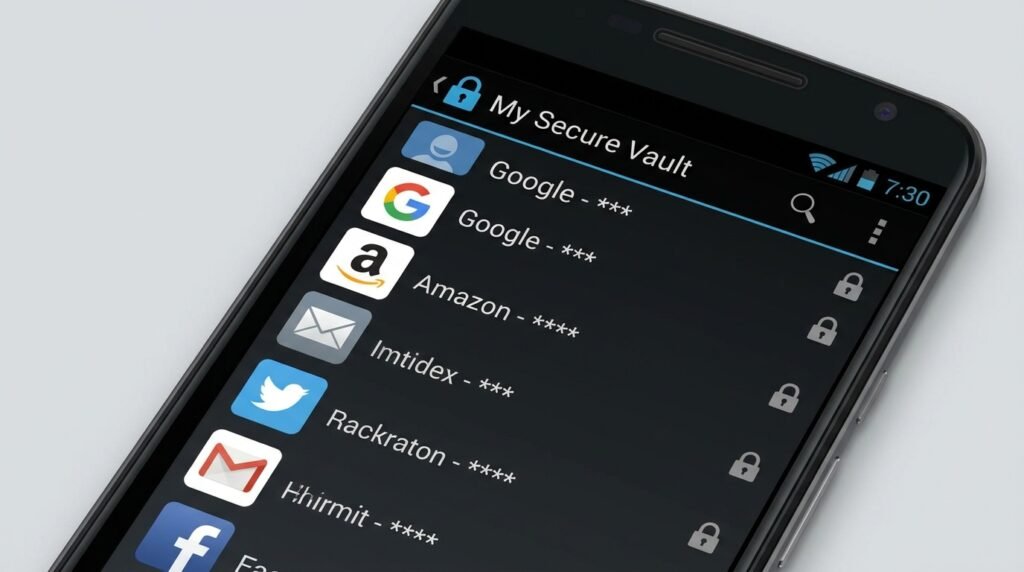
Best Password Managers for Android in 2026: Secure Your Digital Life
The Vital Importance of Password Managers on Android in 2026
In 2026, our digital footprints are larger and more complex than ever before. From mobile banking apps, cryptocurrency wallets, and health portals to remote work platforms and social networks, the average Android user manages over 100 online accounts. Unfortunately, human memory is inherently incapable of generating and retaining 100 unique, complex, 16-character cryptographic passphrases. As a result, millions of users fall back on dangerous habits: recycling two or three simple passwords across dozens of services, adding minor variations like numbers or exclamation marks, or saving passwords in plain text notes on their phones.
Cybercriminals exploit these predictable habits through automated credential stuffing attacks, phishing campaigns, and large-scale database breaches. Once a single account credential is leaked online, hackers attempt to use those same login credentials across hundreds of popular websites. Relying on built-in web browser password saving is no longer sufficient; browser vaults lack solid multi-platform security, fail to smoothly fill credentials into native Android mobile applications, and rarely offer zero-knowledge encrypted backups.
A dedicated Android password manager resolves these security vulnerabilities completely. Built upon high-level zero-knowledge encryption architecture, password managers store your entire digital vault in an encrypted state that only you can unlock using a single Master Password or biometric key. They automatically generate complex, random credentials for every service, fill them into apps and websites via Android’s native Autofill and Credential Manager APIs, and synchronize your vault smoothly across all your devices. In this comprehensive review, we evaluate the five best password managers available for Android in 2026 to help you select the ultimate vault for your digital security.
Key Criteria for Evaluating Android Password Managers
When selecting a password manager for Android, security and usability must exist in perfect balance. We evaluated dozens of solutions based on six core technical criteria:
- Zero-Knowledge Architecture: The provider must use end-to-end client-side encryption. Your Master Password and decryption keys must never leave your physical Android device unencrypted, ensuring that even if the provider’s cloud servers are breached or subpoenaed, your plaintext passwords remain completely inaccessible to outsiders.
- Encryption & Key Derivation Standards: We look for industry-gold encryption ciphers, such as AES-256-GCM or XChaCha20-Poly1305, combined with modern, memory-hard key derivation functions like Argon2id or high-iteration PBKDF2 to withstand offline brute-force attempts.
- Native Android Autofill Integration: The app must support Android’s latest Credential Manager API alongside legacy Autofill services to deliver instant, reliable login popups across mobile web browsers (Chrome, Firefox, Brave) and native Android applications.
- Biometric Security Features: Seamless integration with Android BiometricPrompt API, supporting fingerprint sensors, 3D face unlock, and hardware security keys (YubiKey over NFC/USB-C).
- Emergency Access & Recovery Options: Clear mechanisms to recover account access in emergency scenarios without breaking the zero-knowledge security mandate.
- Cross-Platform Synchronization & Passkey Support: Multi-device support across Android, Windows, macOS, iOS, Linux, and major web extensions, alongside native support for passwordless Passkey standards (FIDO2/WebAuthn).
1. Bitwarden: The Best Open-Source & Overall Value Leader
Bitwarden continues to set the gold standard for password management in 2026. It remains the top choice for cybersecurity experts, open-source advocates, and privacy-conscious users worldwide due to its transparent codebase, unblemished security record, and exceptionally generous free tier.
Core Security & Architecture
Bitwarden operates on a complete open-source model; its entire client and server codebase is publicly available on GitHub for independent security audits and community inspection. Vaults are encrypted client-side using end-to-end AES-CBC 256-bit encryption, with key derivation powered by customizable Argon2id or PBKDF2 SHA-256 iterations. Users who prefer total sovereignty over their data can self-host their own Bitwarden vault server on a home NAS or private cloud instance.
Android Experience & Features
The Bitwarden Android app offers a clean, modern interface built for speed. It integrates flawlessly with Android’s Credential Manager API, instantly surfacing login credentials, passkeys, and credit card autofill suggestions directly above the soft keyboard when tapping username fields. Biometric unlock via fingerprint or facial recognition is instant and reliable.
The free tier of Bitwarden includes unlimited password storage, unlimited device synchronization, a secure password generator, and secure text notes. Upgrading to the Premium plan (an affordable $10 per year) unlocks integrated 2FA authenticator TOTP code generation, file attachment storage, security health reports, and emergency access trusted contacts.
Pros & Cons of Bitwarden
- Pros: 100% open-source with regular third-party audits; self-hosting capability; exceptional free plan with unlimited devices; seamless Passkey support on Android.
- Cons: Basic user interface compared to flashy commercial rivals; file storage requires paid plan.
2. 1Password: The Best Premium Experience & Enterprise Security
1Password 8 on Android represents the pinnacle of premium password management UX. Known for its sophisticated security engineering and intuitive interface, 1Password caters to individuals, families, and businesses looking for maximum polish and advanced privacy controls.
Core Security & Architecture
1Password elevates zero-knowledge protection by employing a two-tier authentication architecture. In addition to your Master Password, 1Password generates a 128-bit Secret Key stored locally on your devices. All vault data is encrypted using AES-256-GCM. Because decryption requires both your Master Password and your Secret Key, remote server-side brute-force attacks become mathematically impossible even if an attacker obtains your encrypted vault payload.
Android Experience & Features
The 1Password Android application features fluid navigation, fluid dark mode themes, and powerful organizational tools like customizable Vaults, tags, and collections. Its signature security feature, Watchtower, continuously scans your stored logins against compromised password databases, flagging weak passwords, reused credentials, expired credit cards, and accounts eligible for Passkeys or two-factor authentication.
Another standout feature is Travel Mode. Before crossing international borders, you can enable Travel Mode to remove sensitive vault databases from your Android device entirely. Once marked safe, you can restore those vaults from the 1Password web portal with a single click, protecting private data during border inspections.
Pros & Cons of 1Password
- Pros: Unrivaled dual-key security architecture (Secret Key); Travel Mode privacy controls; Watchtower automated security auditing; exceptional multi-platform app quality.
- Cons: No permanent free tier (subscription only after 30-day trial); no self-hosting options.
3. Dashlane: Best Built-in Privacy Extras & All-in-One Suite
Dashlane position itself as a comprehensive security ecosystem for Android users who want more than just password vault storage. In addition to password management, Dashlane bundles real-time dark web monitoring, credit monitoring, and a fully functional Unlimited VPN powered by Hotspot Shield.
Core Security & Architecture
Dashlane implements a zero-knowledge architecture using AES-256 bit encryption. It was an early pioneer in implementing passwordless authentication standards and fully supports FIDO2 Passkeys on Android 14, 15, and 16, allowing users to log into supported apps using biometric credentials instead of traditional text passwords.
Android Experience & Features
Dashlane’s Android app features an exceptionally refined user experience. Autofill overlays respond instantly in mobile browsers and banking apps. Dashlane includes a single-click Password Changer tool that can update weak passwords across supported sites automatically. Its built-in Dark Web Monitoring tool continuously scans up to 5 personal email addresses for credential leaks on underground forums and alerts you immediately via push notifications if a compromise occurs.
Pros & Cons of Dashlane
- Pros: Bundled Unlimited VPN for safe public Wi-Fi browsing; real-time dark web monitoring; smooth Passkey integration; polished user interface.
- Cons: Expensive annual subscription pricing; free tier restricted to a single device and 25 passwords.
4. Proton Pass: Best Privacy-Focused Ecosystem & Email Aliasing
Developed by the team behind Proton Mail and Proton VPN in Switzerland, Proton Pass has rapidly evolved into a heavy hitter in the password management space. Built specifically for privacy advocates, Proton Pass operates under strict Swiss privacy laws outside US and EU surveillance jurisdictions.
Core Security & Architecture
Proton Pass is built on fully open-source, independently audited cryptographic foundations. It encrypts not just password fields, but all metadata within your vault—including URLs, item titles, usernames, and custom notes—using end-to-end AES-GCM-256 encryption. This ensures network observers cannot analyze your vault metadata to deduce which online services you use.
Android Experience & Features
Proton Pass shines with its integrated Hide-My-Email alias system (powered by SimpleLogin). When creating a new account on an app or website, Proton Pass can generate a random, unique email alias (e.g., app_x89f@passmail.net) that forwards incoming messages directly to your real inbox. This shields your actual email address from tracking, spam, and data leaks. The app integrates natively with Android Autofill and offers quick biometrics unlocking.
Pros & Cons of Proton Pass
- Pros: Complete metadata encryption; integrated email alias generator; strong Swiss privacy protections; solid free tier; seamless integration with Proton ecosystem.
- Cons: Newer ecosystem with fewer legacy customization options; standalone subscription pricing if not using Proton Unlimited bundle.
5. Enpass: Best Offline-First & Local Storage Solution
For users who distrust cloud server storage entirely and want total physical ownership of their encrypted password vaults, Enpass is the ultimate offline-first choice. Unlike cloud-centric competitors, Enpass does not store your vault data on its own servers.
Core Security & Architecture
Enpass uses SQLCipher open-source AES-256 bit encryption to secure your vault locally on your Android device. You have total control over where your encrypted vault file is stored and synchronized: you can store it locally on your phone’s internal storage, sync it over your local home network via WebDAV/NAS, or sync it using your personal cloud accounts (Google Drive, OneDrive, Dropbox, or iCloud).
Android Experience & Features
The Enpass Android app offers customizable vault categories, multiple vault support (e.g., separating Work, Personal, and Family vaults), smart watch integration, and native Android Autofill support. Because Enpass does not maintain user accounts on central servers, it eliminates central server breach risks entirely. Furthermore, Enpass offers one-time lifetime license purchases alongside traditional subscriptions, making it highly cost-effective.
Pros & Cons of Enpass
- Pros: Offline-first design with no central server storage; syncs via your own cloud/WebDAV/NAS; one-time lifetime license option; multiple vault separation.
- Cons: Setup requires manual configuration of cloud sync channels; requires user responsibility for vault backups.
Technical Deep-Dive: Zero-Knowledge Architecture & Key Derivation
Understanding the math behind password managers helps demystify how zero-knowledge security works in practice on Android devices:
When you create an account, your Master Password is transformed into a cryptographic key using a Key Derivation Function (KDF) like Argon2id. Argon2id is specifically designed to be memory-hard and computationally expensive, making computer clusters using GPUs or ASICs unable to execute rapid offline dictionary attacks.
This derived key encrypts your local vault payload using AES-256-GCM (Galois/Counter Mode) or XChaCha20-Poly1305. When vault data synchronizes to cloud servers, only the encrypted ciphertext is transmitted. The remote server never receives your Master Password or plaintext encryption key. Decryption occurs strictly inside your Android device’s isolated application memory space after successful biometric or password validation.
Android Autofill & Credential Manager API Integration Guide
To ensure your password manager fills credentials effortlessly inside apps like banking tools, Amazon, or Netflix, configure Android’s native Autofill settings correctly:
- Step 1: Open Android Settings > tap Passwords & accounts (or General management > Passwords and autofill on Samsung).
- Step 2: Under the Autofill service section, tap your current default service (often set to Google).
- Step 3: Select your installed password manager (e.g., Bitwarden, 1Password, Proton Pass) and confirm the prompt.
- Step 4: Open your password manager app, enter Settings > Autofill, and enable both Autofill service and Use inline autofill.
- Step 5: Ensure Biometric unlock is enabled within the app settings so credential requests require a quick fingerprint tap.
Comparison Table: Top Android Password Managers 2026
Here is a direct side-by-side comparison of the top five password managers for Android:
| Password Manager | Free Plan Tier | Starting Price | Vault Sync Model | Open Source | Key Standout Feature |
|---|---|---|---|---|---|
| Bitwarden | Unlimited items & devices | $10 / year | Cloud / Self-Hosted | Yes (100%) | Best value, FOSS, self-hosting option |
| 1Password | 14 to 30-day Trial only | $35.88 / year | 1Password Cloud | No (Audited) | Secret Key, Travel Mode, Watchtower UI |
| Dashlane | 1 Device / 25 Passwords | $59.88 / year | Dashlane Cloud | No (Audited) | Bundled Unlimited Hotspot Shield VPN |
| Proton Pass | Unlimited items & 10 aliases | $23.88 / year | Proton Swiss Cloud | Yes (100%) | Hide-My-Email aliases & full metadata privacy |
| Enpass | 25 items on mobile free | $23.99/yr or Lifetime | Local / Personal Cloud | No (SQLCipher) | Offline storage, WebDAV/NAS sync, no cloud lock-in |
Master Key Recovery & Emergency Access Planning
Because legitimate password managers use true zero-knowledge architecture, forgotten Master Passwords cannot be reset by customer support teams. To prevent catastrophic lockouts, implement an emergency recovery protocol immediately upon creating your vault:
- Print Emergency Kits: 1Password and Bitwarden generate physical recovery PDF sheets containing your account key, QR codes, and fallback encryption tokens. Print a physical copy and store it in a secure location, such as a home fireproof safe.
- Configure Emergency Contacts: Bitwarden and 1Password allow you to assign trusted family members or colleagues as Emergency Contacts. If you become incapacitated, a contact can request vault access, which unlocks automatically after a designated waiting period (e.g., 7 days) unless rejected by you.
- Encrypted Vault Backups: Export an encrypted JSON/CSV backup of your vault periodically to an external USB drive or offline storage. Never save unencrypted plaintext CSV backups on unencrypted drives.
Verdict: Which Password Manager Should You Choose?
Selecting the ideal Android password manager depends on your personal priorities:
- Choose Bitwarden if you want the absolute best value, open-source security, unlimited free syncing, or self-hosting capability.
- Choose 1Password if you require top-tier enterprise UI polish, dual-key protection, Travel Mode privacy, and comprehensive security health monitoring.
- Choose Proton Pass if you are deeply invested in privacy ecosystems and want built-in email alias protection against spam and data leaks.
- Choose Enpass if you insist on storing your encrypted vault data on your own home hardware or personal cloud without central server reliance.
Whichever solution you choose, deploying a password manager on your Android device today is the single most impactful step you can take to protect your online identity and digital assets in 2026.
