
Top 5 Best Podcast Apps for Android Listeners in 2026
The Renaissance of Mobile Podcast Players on Android
Podcasting has evolved from a niche broadcasting medium into one of the dominant forms of global digital media. Millions of listeners rely on daily podcasts for news updates, investigative reporting, technical education, comedic entertainment, and audio storytelling. However, the quality of your podcast listening experience depends heavily on the software player you use. A subpar podcast app can suffer from clumsy feed management, missing audio processing tools, aggressive battery drain, or vendor lock-in that restricts your ability to export your subscription feeds.
On Android, listeners have access to a rich ecosystem of dedicated podcast management tools ranging from lightweight open-source RSS utilities to power-user playback suites equipped with advanced digital signal processing (DSP) algorithms. In this comprehensive review guide, we analyze the top 5 best podcast applications for Android in 2026. We evaluate each platform based on key audio processing features—such as silence trimming and volume boosting—as well as OPML import/export capabilities, smart storage management, and multi-device cloud synchronization.
1. Pocket Casts: The Gold Standard for Power and Elegance
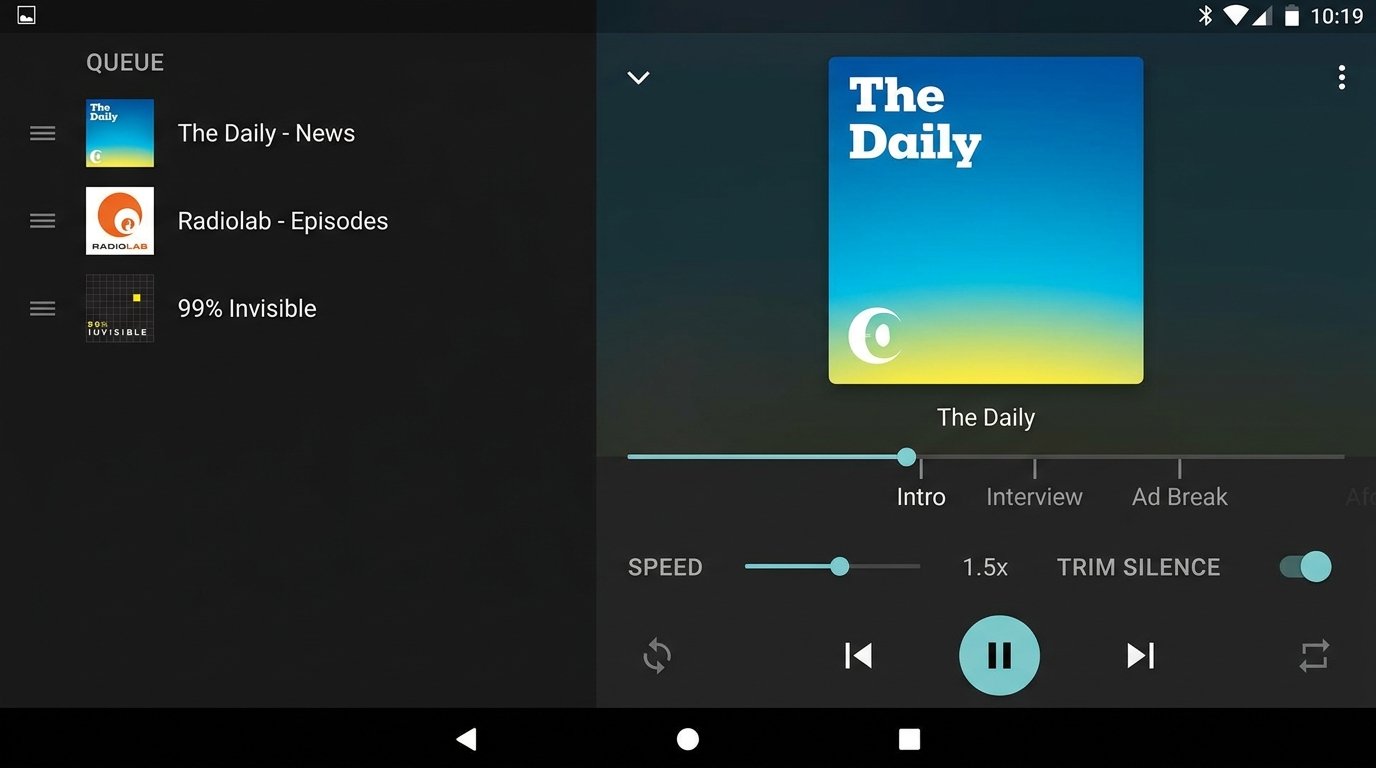
For over a decade, Pocket Casts has set the standard against which all mobile podcast managers are measured. Renowned for its sleek Material You design, cross-platform synchronization, and intuitive user interface, Pocket Casts effortlessly balances simplicity for casual listeners with profound depth for podcast power users.
Key Features and Audio Processing Capabilities:
- Trim Silence (Skip Inactive Audio): Pocket Casts features a highly sophisticated silence removal algorithm. Rather than cutting audio abruptly, it intelligently detects long pauses, awkward silences, and dead air, dynamically shortening them without distorting vocal pitch. Listeners can choose between mild, medium, or aggressive silence trimming thresholds, saving dozens of hours of listening time annually.
- Volume Boost (Speech Equalization): Variable recording environments often leave podcast hosts at inconsistent volume levels. Pocket Casts’ built-in Volume Boost engine normalizes voice tracks, raising quiet dialogue while compressing loud peaks so you can hear episodes clearly in noisy cars or public transit environments.
- Custom Smart Filters: Users can create dynamic playlists based on granular rules—such as filtering unplayed episodes from tech shows released in the last 7 days with a minimum duration of 20 minutes.
- Cross-Platform Cloud Sync: Full playback position, episode status, and subscription state sync smoothly across Android, Wear OS, iOS, Web browser interfaces, and desktop desktop applications.
Pros & Cons:
- Pros: Flawless interface design, ultra-accurate silence trimming engine, excellent Wear OS companion app, full OPML export and import.
- Cons: Full cloud Web player and custom folder organization require a Plus subscription tier.
2. AntennaPod: The Open-Source, Ad-Free Privacy Champion
If you prefer software that is completely free from commercial tracking, advertising banners, subscription paywalls, or account registration requirements, AntennaPod is the ultimate solution. Built and maintained by a dedicated global open-source community, AntennaPod delivers enterprise-grade podcast management with zero compromise on user privacy.
Key Features and RSS Flexibility:
- 100% Free and Open Source (FOSS): AntennaPod contains no corporate telemetry, no user tracking, no third-party analytics libraries, and no monetization gates. All subscription data remains stored locally on your mobile device.
- Direct RSS & Private Feed Support: Users can add podcasts by searching public directories (Apple Podcasts, Podcast Index) or by manually pasting custom RSS feed URLs—including password-protected premium Patreon feeds.
- gpodder.net & Nextcloud Sync: For users who desire multi-device sync without surrendering data to corporate servers, AntennaPod natively supports open synchronization protocols via gpodder.net or self-hosted Nextcloud instances.
- Granular Auto-Download Rules: Configure auto-download routines per individual show, set storage quota ceilings, and establish episode auto-deletion schedules based on played status or age.
Pros & Cons:
- Pros: Zero cost, completely ad-free, respects battery and memory resources, seamless OPML import/export, native dark theme.
- Cons: Lacks proprietary algorithmic show recommendations found in commercial streaming apps.
3. Podcast Addict: The Feature-Packed Swiss Army Knife
With over 10 million downloads and an average user rating exceeding 4.7 stars, Podcast Addict is widely considered the most customizable podcast player on the Android platform. It is engineered specifically for audio enthusiasts who want total control over every micro-setting of their listening pipeline.
Advanced Audio & RSS Customization:
- Per-Podcast Playback Profiles: Unlike apps that apply global audio settings across all subscriptions, Podcast Addict allows you to customize speed controls, volume boost levels, equalizer presets, and skip intros/outros individually for every podcast in your library.
- Built-in Audio Processing Engine: Includes a multi-band sound equalizer, mono playback toggling for single-earbud listening, and silence skipping with adjustable decibel thresholds.
- Multi-Format Content Aggregation: Beyond traditional RSS podcast feeds, Podcast Addict manages audiobooks, YouTube channel audio feeds, SoundCloud accounts, Twitch channels, and local audio files within a unified media interface.
Pros & Cons:
- Pros: Unrivaled depth of customization options, support for non-podcast RSS/YouTube sources, extensive backup and restore settings.
- Cons: User interface can feel overwhelming for beginners due to the sheer volume of menus and toggles.
4. Spotify: Integrated Music & Podcast Streaming Giant
Spotify has invested heavily in consolidating music streaming and podcast broadcasting into a single application. For listeners who want to consolidate their entire audio library within one central app, Spotify offers massive convenience alongside exclusive content.
Key Features & Platform Ecosystem:
- Massive Show Catalog & Exclusives: Hosts millions of public podcasts alongside high-profile platform-exclusive video podcasts and original series.
- Spotify Connect Device Handoff: Effortlessly transfer active playback from your Android smartphone to smart TVs, PlayStation/Xbox consoles, smart speakers, or desktop PCs with a single tap.
- Interactivity Features: Includes listener Q&A polls, community episode comments, and synchronized video playback for compatible video podcast shows.
Pros & Cons:
- Pros: Unified music and podcast library, seamless Spotify Connect hardware handoff, video podcast integration.
- Cons: Does not support custom RSS feed URLs, lacks OPML import/export capabilities, no advanced silence trimming controls.
5. YouTube Music: The Video-to-Audio Hybrid Experience
Following the deprecation of Google Podcasts, Google integrated podcast discovery and playback directly into **YouTube Music**. This platform targets users who frequently switch between watching visual podcast broadcasts on desktop/TV and listening to background audio on mobile.
Key Features & Google Ecosystem Integration:
- Seamless Audio/Video Switching: Toggle instantly between high-definition video playback and background audio-only mode without losing your playback timestamp.
- Google Ecosystem & Cast Support: Native Chromecast integration, Google Assistant voice controls, and seamless Android Auto display integration.
- RSS Feed Sideloading: Allows users to add external podcast RSS feed links directly to their library, bringing non-YouTube shows into the app.
Pros & Cons:
- Pros: Free background playback for podcasts, instant switching between video and audio streams, excellent Google Assistant integration.
- Cons: Lacks advanced audio processing features like variable silence trimming or per-show equalizer profiles.
Feature Comparison Matrix: Top 5 Android Podcast Apps
The comparative table below summarizes the key feature capabilities across all reviewed podcast applications:
| Podcast App | Target Audience | Silence Trimming | OPML Import/Export | Cloud Sync | Price Model |
|---|---|---|---|---|---|
| Pocket Casts | Power users seeking polished design & cross-platform tools | Yes (Advanced dynamic engine) | Full OPML Support | Native Cloud Sync (Wear OS, Web, Desktop) | Free (Optional Plus Subscription) |
| AntennaPod | Privacy advocates wanting open-source, ad-free listening | Yes (System level DSP) | Full OPML Support | gpodder.net & Nextcloud Sync | 100% Free & Open Source |
| Podcast Addict | Audio tinkerers desiring maximum per-feed control | Yes (Custom DB thresholds) | Full OPML Support | Local & Cloud Backup Sync | Free (Ad-supported / Ad-free IAP) |
| Spotify | All-in-one music & podcast streaming enthusiasts | No | No OPML Support | Spotify Connect Protocol | Free (Ad-supported) / Premium Tier |
| YouTube Music | Video podcast viewers & Google ecosystem users | No | Limited RSS Sideloading | Google Account Sync | Free / YouTube Premium Tier |
Deep-Dive: How Audio Enhancement Engines Upgrade Your Experience
Modern Android processors contain dedicated Digital Signal Processing (DSP) blocks capable of running real-time audio filtration. Understanding these settings allows you to get the absolute best sound from any episode:
Silence Trimming (Skip Inactive Pause Audio):
Silence trimming engines analyze the incoming decibel stream of an audio file in real time. When the host stops speaking, the app temporarily increases playback velocity until speech resumed, smoothly cutting dead air. Over a typical 1-hour interview podcast, silence trimming can shorten playback time by 8 to 14 minutes without sacrificing comprehension.
Volume Boosting and Dynamic Range Compression:
Podcast production quality varies wildly. Independent podcasters often record without proper audio limiters, producing low volume levels. Volume boosting applies multi-band compression: low vocal frequencies are amplified, while high volume spikes are capped. This prevents sudden deafening ad placements while ensuring whispery conversations remain intelligible on low-cost earbuds or noisy car speakers.
Managing Subscriptions with OPML Import & Export
Avoiding lock-in is a fundamental rule of digital media management. If you build a library of 200+ podcast subscriptions inside an app, switching players manually would take hours. **OPML (Outline Processor Markup Language)** solves this completely.
How to Backup & Migrate Your Podcasts via OPML:
- Open your current podcast app’s settings menu (e.g., Pocket Casts or AntennaPod).
- Navigate to Storage & Backup or Import/Export.
- Tap Export OPML and save the generated .opml or .xml file to your local download folder or cloud drive.
- Install your new podcast application, open its settings, select Import OPML, and choose the saved file.
- The new app will automatically scan, subscribe, and fetch metadata for all your shows within seconds.
Frequently Asked Questions (FAQ)
What is the difference between streaming a podcast and auto-downloading it?
Streaming downloads podcast audio chunks in real time as you listen, requiring an active Wi-Fi or mobile data connection. Auto-downloading downloads full episode files in the background while connected to home Wi-Fi, saving mobile data charges and guaranteeing smooth playback in subterranean subways, airplanes, or low-reception areas.
Can I listen to private or paid Patreon podcast feeds on these apps?
Yes, apps like Pocket Casts, AntennaPod, and Podcast Addict natively support private RSS feeds. When you pledge to a creator on Patreon or Substack, copy your unique private RSS URL and paste it directly into the app’s search/add feed bar. Spotify and YouTube Music do not support external private RSS URLs.
Which podcast app uses the least battery power on Android?
AntennaPod and Pocket Casts are exceptionally well-optimized for background audio processing on Android. Because they lack heavy video rendering or background ad-tracking scripts, they consume minimal CPU cycles while your phone screen is turned off.
Conclusion
Selecting the right Android podcast player depends on your personal listening habits. If you desire a beautifully crafted interface with class-leading silence trimming and cloud sync, Pocket Casts remains the top overall choice. If you prioritize open-source privacy and zero ads, AntennaPod delivers an unmatched FOSS experience. Meanwhile, power users who demand total control over per-feed equalizer curves will find their ideal home in Podcast Addict.
Written and reviewed by APKMales’ technical staff. This guide was compiled from publicly available documentation and reviewed by the APKMales editorial team, in line with our Editorial Policy and Privacy Directives.
