
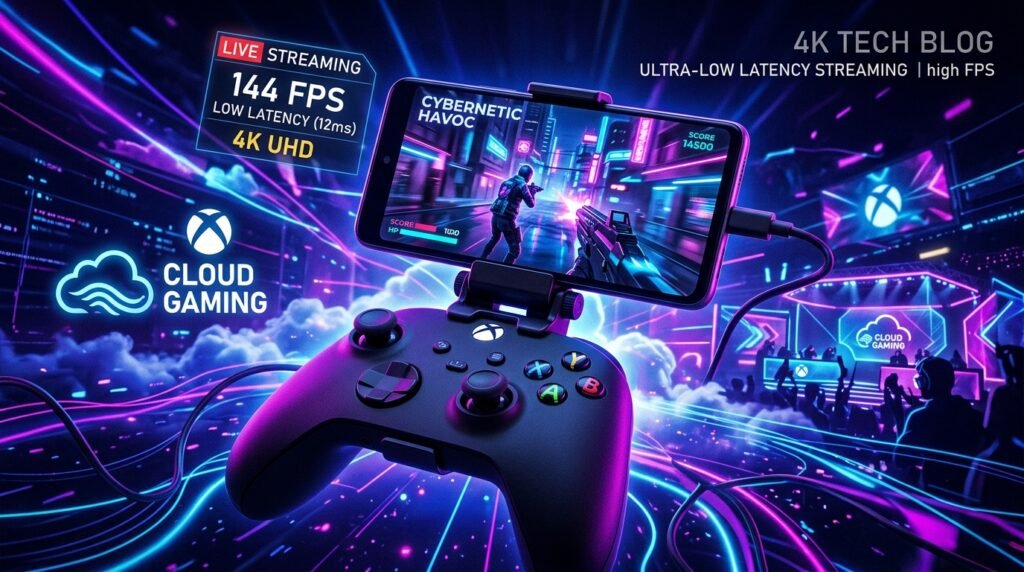
Best Cloud Gaming Apps for Android in 2026: GeForce NOW vs Xbox Cloud vs Boosteroid
Cloud gaming has revolutionised mobile gaming by allowing you to stream AAA PC and console games directly to your Android phone. This guide compares the leading cloud gaming services for 2026, including GeForce NOW, Xbox Cloud Gaming, Boosteroid, Amazon Luna, and Shadow PC.
Best Cloud Gaming Apps for Android in 2026: GeForce NOW vs Xbox Cloud vs Boosteroid
Cloud gaming promised to democratize high-end gaming — no expensive hardware, no massive downloads, just tap and play. In 2026, that promise is closer to reality than ever. The services have matured, mobile data networks have improved with 5G expansion, and Wi-Fi 6E and 6GHz bands are now common in homes and cafes. But not all cloud gaming services are equal, and the best one for you depends on your existing library, budget, internet connection, and preferred controller.
This guide compares the top five cloud gaming apps available on Android right now: NVIDIA GeForce NOW, Xbox Cloud Gaming, Boosteroid, Amazon Luna, and Shadow PC. We’ll cover everything from latency requirements to per-hour data costs.
The Latency Reality: What “Playable” Actually Means
Before diving into specific services, it’s critical to understand latency in cloud gaming. Unlike video streaming where 500ms of buffering is invisible, cloud gaming requires your controller inputs to travel to a server, be processed in the game, rendered, encoded, and streamed back to your screen — all in milliseconds.
- Under 20ms: Indistinguishable from local gaming for most genres.
- 20–40ms: Excellent for most games. Competitive shooters feel slightly different but are very playable.
- 40–60ms: Good for RPGs, strategy games, adventure games. Fast-twitch shooters start to feel off.
- 60–100ms: Acceptable for turn-based games, visual novels, slower games. Most action games feel laggy.
- 100ms+: Generally unplayable for action games.
For cloud gaming on Android, aim for a sub-40ms connection. A solid 5GHz or 6GHz Wi-Fi connection at home, or a strong 5G signal outdoors, should get you there with any of the services reviewed here.
1. NVIDIA GeForce NOW Ultimate — The Performance Crown
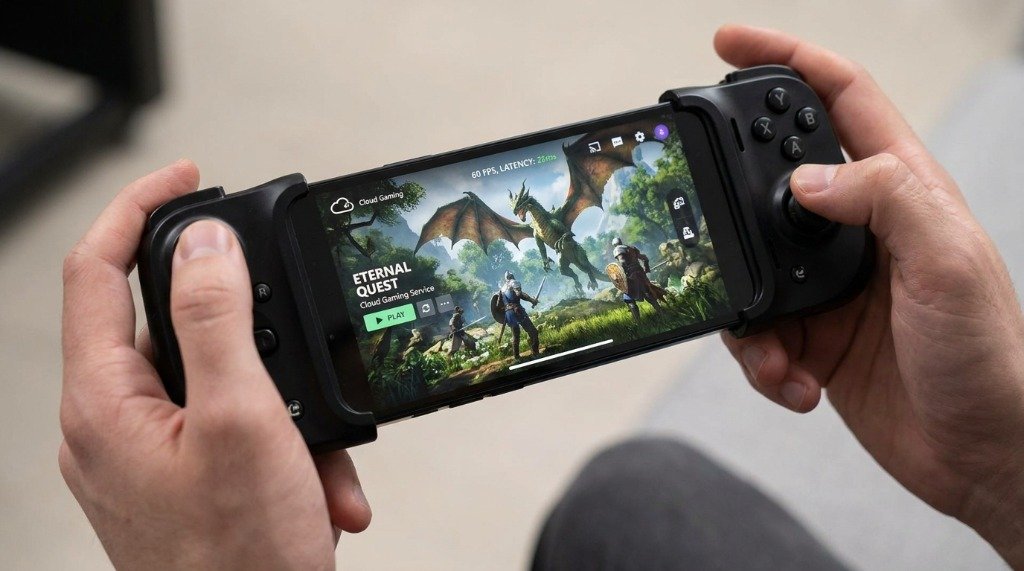
GeForce NOW is unique among cloud gaming services: it doesn’t sell you games. Instead, it streams your existing PC game library from platforms like Steam, Epic Games Store, GOG, and Ubisoft Connect on a remote NVIDIA GPU. If you already own a game on these platforms, you can stream it instantly.
Tiers and Pricing (2026)
- Free tier: 1-hour sessions, standard GPU (RTX 2080 equivalent), queue during peak times.
- Performance tier (~$10/month): 6-hour sessions, RTX 3080 equivalent, standard priority.
- Ultimate tier (~$20/month): Priority access, RTX 4080 class GPU, 4K at 120fps, DLSS 3, NVIDIA Reflex latency reduction.
Android App Experience
The GeForce NOW Android app is polished. It has a built-in game library browser, controller-optimized menus, and supports touch controls for supported games. On Ultimate tier with a 5GHz connection, 4K HDR at 60fps is smooth and genuinely impressive on a high-refresh tablet or phone. The 120fps mode requires a 120Hz or higher display and a very fast connection (ideally 50 Mbps+).
Pros
- Use your existing PC game library — no double purchase.
- RTX ray tracing, DLSS, and NVIDIA Reflex available on Ultimate tier.
- Extensive game support (1,800+ titles).
- Best-in-class raw graphics quality.
Cons
- Some publishers have removed their titles from GFN (EA games notably absent).
- Free tier queues can be very long during evenings.
- Does not include games — you need to own them separately.
2. Xbox Cloud Gaming (xCloud) — Best for Game Pass Subscribers
Microsoft’s Xbox Cloud Gaming, branded as xCloud, is the most accessible entry point to cloud gaming: it’s included with Xbox Game Pass Ultimate at around $17/month (2026 pricing), which also includes hundreds of games in the library. You don’t need to own a game to stream it — if it’s in the Game Pass catalog, you stream it.
Technical Specs
Xbox Cloud Gaming runs on custom Xbox Series X blade hardware in Microsoft’s Azure data centers. Every session uses the equivalent of an Xbox Series X — about 12 teraflops of GPU performance. Resolution tops out at 1080p/60fps on Android currently, with 1440p in select markets. Microsoft has been rolling out 120fps support for compatible games in 2026.
Android App Experience
The Xbox Cloud Gaming app integrates directly into the Xbox Game Pass app on Android. The UI is excellent — games load in under 30 seconds from the catalog. Touch controls are available for over 100 games. The app supports Xbox controllers, PlayStation DualSense, and third-party Bluetooth controllers natively.
Pros
- Massive game library included in subscription (400+ titles).
- Xbox Series X hardware quality on every session.
- Excellent controller support including DualSense haptics on some titles.
- No separate hardware or client install beyond the app.
Cons
- Capped at 1080p on most regions — no 4K streaming.
- Game Pass library changes monthly — titles are added and removed.
- Requires Game Pass Ultimate for cloud access (Game Pass Standard excludes cloud).
3. Boosteroid — The European Challenger
Boosteroid is an independent cloud gaming service headquartered in Ukraine with a growing data center footprint across Europe, North America, and Asia. It’s particularly strong for users in Eastern Europe and South/Southeast Asia where GeForce NOW and xCloud data centers are farther away.
Technical Specs
Boosteroid uses NVIDIA GeForce RTX 30-series GPUs in its servers, offering up to 1080p/60fps on the Start plan and 1080p/60fps with cloud save sync on the Start+ plan. A Premium plan offers 4K support in select markets.
Game Library
Like GeForce NOW, Boosteroid streams games from your existing PC library (Steam, Epic, etc.). It supports over 800 games as of mid-2026, including many AAA titles. Notably, Microsoft’s first-party games (Halo, Forza, etc.) are available on Boosteroid due to a licensing deal — something GeForce NOW lacks.
Pros
- Microsoft game titles available (rare outside xCloud).
- Competitive pricing (~$6–$12/month depending on tier).
- Good server coverage in Europe, Middle East, and parts of Asia.
- No session time limits on paid plans.
Cons
- Smaller game library than GeForce NOW.
- Android app is functional but less polished than Microsoft’s or NVIDIA’s.
- Server availability varies significantly by region.
4. Amazon Luna — The Ecosystem Play
Amazon Luna operates on a channel-based model: instead of one subscription, you subscribe to individual game channels (Luna+, Jackbox, Ubisoft+, Capcom, etc.), each with its own library. The Luna+ channel (~$10/month) has a general catalog of around 200 titles.
Technical Specs
Luna runs on custom server hardware in Amazon’s AWS infrastructure, achieving 1080p/60fps standard and 4K/60fps on premium channels. Latency is competitive, particularly in North America where AWS coverage is dense.
Android App Experience
Luna streams directly via the browser on Android (Chrome/Firefox), avoiding Play Store listing restrictions. The experience is solid on a 5GHz connection. The Luna Controller (sold separately) communicates directly with Amazon’s servers via Wi-Fi, bypassing Bluetooth for lower latency — a clever hardware differentiator.
Pros
- Channel model means you pay only for genres you like.
- Excellent North American server coverage (AWS).
- Luna Controller’s direct Wi-Fi reduces input latency.
- Family plan option for multiple users.
Cons
- Channel fragmentation can make total cost high if you want a broad library.
- App is browser-based on Android (no native app due to Amazon-Google restrictions).
- Less competitive in Europe and Asia compared to GeForce NOW.
My take: try a free tier before paying for a subscription, and run a speed test on your Wi-Fi so you know what to expect.
5. Shadow PC — Full Windows in the Cloud
Shadow PC takes a fundamentally different approach: it gives you a full Windows PC in the cloud. You’re not restricted to a curated game library — you install games from any platform, any launcher, any source. It’s a remote PC, not a game streaming service.
Technical Specs
Shadow offers multiple tiers with different GPU/CPU configurations. The standard Shadow PC tier provides an NVIDIA Quadro P5000 equivalent. Shadow Pro and Shadow Ultra offer RTX 40-series equivalent GPUs, reaching 4K/144fps on the highest tier.
Android App Experience
The Shadow app on Android streams the full Windows desktop. You can install Battle.net, Riot Client, GOG Galaxy, or any other launcher and play any game — including EA titles that GeForce NOW can’t offer. The touch interface works, but a Bluetooth controller is essential for a comfortable experience.
Pros
- Full Windows PC — access any game, any launcher, any software.
- Persistent storage — your files and installs stay between sessions.
- No game library restrictions whatsoever.
- Top-tier GPU on premium plans.
Cons
- Most expensive option (~$30–$50/month).
- You still need to own and install games yourself.
- Higher latency compared to purpose-built game streaming.
- Overkill if you just want to play a few games casually.
Controller Compatibility on Android
All five services support third-party Bluetooth controllers on Android. Here’s the breakdown:
- Xbox Wireless Controller (Bluetooth mode): Works natively with all five services. Best plug-and-play option.
- PlayStation DualSense: Works via Bluetooth on all services. DualSense haptics are supported in select games on xCloud.
- Backbone One (Mobile): The clip-on controller for Android phones. Works with all services. Makes the experience genuinely console-like.
- Razer Kishi V2: Another clip-on option with lower latency than Bluetooth (uses USB connection).
5GHz and 6GHz Wi-Fi Setup for Optimal Streaming
If your router supports Wi-Fi 6 (802.11ax) or Wi-Fi 6E with a 6GHz band, use it. The 6GHz band has less interference than 2.4GHz or 5GHz, and the increased channel width (up to 160MHz) means more bandwidth per device. For cloud gaming, connect your phone to the 5GHz or 6GHz band and position yourself close to the router. A 50 Mbps connection on 5GHz will outperform a 100 Mbps connection on congested 2.4GHz every time.
Data Usage Per Hour
Cloud gaming consumes significant mobile data if you’re not on Wi-Fi. Here’s what to expect:
- 720p/30fps: ~3–4 GB per hour
- 1080p/60fps: ~8–12 GB per hour
- 4K/60fps: ~20–30 GB per hour
On a 5G unlimited plan, this is manageable. On a metered plan, be careful — a single evening of 4K gaming can consume 60+ GB.
Service Comparison Table
| Service | Max Resolution | Games Included | Price/Month | Xbox Controller | Best For |
|---|---|---|---|---|---|
| GeForce NOW Ultimate | 4K / 120fps | ❌ (own library) | ~$20 | ✅ Yes | PC gamers, quality focus |
| Xbox Cloud Gaming | 1080p / 60fps | ✅ 400+ titles | ~$17 (GP Ultimate) | ✅ Native | Game Pass subscribers |
| Boosteroid | 1080p / 60fps | ❌ (own library) | ~$6–$12 | ✅ Yes | EU/Asia users, budget |
| Amazon Luna | 4K / 60fps | ✅ (by channel) | ~$10+ per channel | ✅ Yes | Amazon Prime users |
| Shadow PC | 4K / 144fps | ❌ (install yourself) | ~$30–$50 | ✅ Yes | Power users, all launchers |
Conclusion
Cloud gaming on Android in 2026 is no longer a novelty — it’s a genuinely viable gaming platform for the right user. The key factors that determine your experience are your internet connection quality, your geographic proximity to server data centers, and whether you want a curated game library (xCloud, Luna) or to stream your existing PC library (GeForce NOW, Boosteroid, Shadow). With a Backbone One or Xbox controller, a 5GHz or 6GHz Wi-Fi connection, and a sub-40ms latency, cloud gaming on Android can be genuinely impressive. The infrastructure is there — pick the service that matches your library and budget.
Final thoughts: your mileage will vary with connection quality, so pick the service whose server locations and pricing fit your region.
Have questions or want to share your own experience? Drop a comment below or reach out to our team. We read every message. You can also learn more about our editorial approach on our About Us page.
