
Best Android Weather Apps in 2026: Accurate Forecasts and Beautiful Design
Why Your Weather App Choice Matters More Than You Think
The default weather app on most Android phones is mediocre at best — inaccurate forecasts, ugly widgets, and bloated with ads. We researched over 20 weather apps on the Play Store to find the best weather apps for Android in 2026 that combine accurate forecasting, beautiful design, and useful widgets without draining your battery.
Your Android phone’s built-in weather app works fine for a quick temperature check, but weather affects everything from your morning commute to weekend hiking plans. The difference between a good and great weather app isn’t just aesthetics — it’s the underlying forecast model, how granularly it can predict precipitation in your specific neighborhood, and whether it sends you an alert when that thunderstorm is actually 20 minutes away rather than just “sometime today.”
In 2026, the weather app landscape has matured into distinct categories: hyperlocal apps that crowdsource data from personal weather stations, model-driven apps that pull from global meteorological services, visual storytellers that make forecast data beautiful, and professional tools for outdoor enthusiasts and aviation. This guide covers the best of each.
Top Android Weather Apps Reviewed for 2026
1. 1Weather — Best All-Around for Most Users
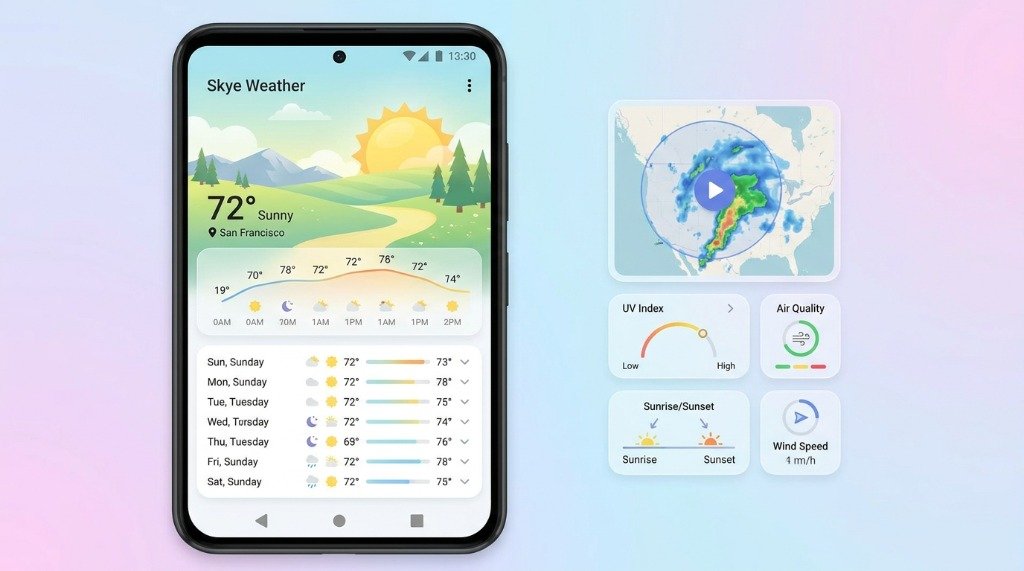
1Weather has been a staple recommendation for Android users for over a decade, and its 2026 iteration continues to earn that praise. The app strikes an excellent balance between data richness and visual clarity, making complex meteorological information accessible without feeling overwhelming.
The interface opens to a clean current-conditions screen with temperature, feels-like, humidity, UV index, and wind speed. Scroll down for an hourly breakdown, a 10-day forecast, precipitation probability chart, air quality index, pollen count, and a simple radar map — all on one scrollable page.
1Weather uses a blend of forecast data sources including the National Weather Service (NWS) for U.S. locations and Foreca internationally. Its precipitation radar is integrated and smooth, though not as detailed as dedicated radar apps like RadarScope.
Widget selection is excellent — ranging from compact 1×1 widgets to elaborate 4×2 extended forecast widgets that look great on most home screen setups. The app is free with ads; a $1.99/year subscription removes ads and adds some additional data layers.
Best for: General users who want a complete, reliable weather experience without complexity.
2. Weather Underground — Best for Hyperlocal Accuracy
Weather Underground (WU) is unique in the weather app world because it supplements official meteorological data with a massive crowdsourced network of over 250,000 personal weather stations (PWS) worldwide. If your neighbor has a Davis Vantage weather station in their backyard and has uploaded it to WU’s network, you’re getting weather data from less than a block away.
This hyperlocal approach makes Weather Underground remarkably accurate for precipitation events that vary by just a few streets — common in coastal cities, mountainous terrain, or areas with urban heat island effects. You can see exactly which station is feeding your local data and switch to a different nearby station if one seems offline or inaccurate.
The app’s radar is excellent, with multiple overlay options including temperature, wind speed, and pressure. However, WU’s interface can feel slightly dated compared to competitors, and the free version has become increasingly aggressive with advertising since its IBM acquisition. The premium tier ($1.99/month or $19.99/year) provides an ad-free experience, extended forecasts, and additional data layers.
A notable limitation: in areas without nearby personal weather stations — rural regions, developing countries — WU’s advantage diminishes and it falls back to standard model data.
Best for: Urban users, gardeners, weather hobbyists, and anyone who needs block-by-block accuracy.
3. Today Weather — Best Visual Design
Today Weather is the aesthetic champion of Android weather apps in 2026. It uses dynamic backgrounds that change based on actual conditions — you’ll see animated snowflakes during a storm, golden hues at sunset, and dramatic cloud animations that genuinely reflect what’s outside your window. It’s the kind of app that makes you want to open it even when you already know what the weather is.
Beyond looks, Today Weather packs genuine substance. It uses the ECMWF model for international locations and NWS for U.S. users, providing solid accuracy. The hourly forecast scroll is smooth and informative, and the 15-day forecast (paid feature) is more detailed than most competitors.
The notification system is particularly well-designed — you can configure a persistent notification that shows current conditions and a one-tap hourly summary, making it accessible from anywhere without opening the app. The free version covers core features; Today Premium (approximately $9.99/year) unlocks the extended forecast, radar access, and removes ads.
Best for: Users who prioritize beautiful design alongside solid forecast data.
4. Overdrop — Best Widgets on Android
If you’re a widget enthusiast — and many Android users are — Overdrop is in a class of its own. The app was essentially built from the ground up around the home screen widget experience, offering dozens of highly customizable widget templates that can match any home screen theme or color palette.
Overdrop’s widgets support Material You dynamic theming (Android 12+), meaning they automatically adapt to your wallpaper’s color scheme. You can customize font size, displayed data points, background opacity, and refresh intervals. The result is weather widgets that look like they were designed specifically for your phone.
For forecast data, Overdrop offers multiple source options including Open-Meteo (open-source, free), Tomorrow.io, and OpenWeatherMap — with the higher-quality sources reserved for the premium tier. The app itself is clean and functional, though the core app experience (as opposed to widgets) is simpler than competitors like 1Weather or Weather Underground.
Overdrop Premium costs $2.99/month or $14.99/year, unlocking premium data sources and all widget templates.
Best for: Widget enthusiasts and users who care deeply about home screen aesthetics.
5. Windy — Best for Outdoor Enthusiasts and Professionals
Windy is not a typical consumer weather app. It’s a professional-grade visualization tool that was originally built for pilots, sailors, and outdoor sports enthusiasts who need to understand atmospheric dynamics, not just “chance of rain.”
The core of Windy is its stunning animated wind map — a global visualization of wind patterns, pressure systems, and jet streams that makes you feel like you’re looking at the planet from space. You can overlay dozens of additional layers: temperature, precipitation, humidity, wave height, air quality, pollen, lightning, jet stream, and many more. Multiple weather models (ECMWF, GFS, ICON, AROME, NAM) can be selected and compared directly.
For hikers, cyclists, paragliders, surfers, and sailors, Windy is essentially a superpower. You can see wind gusts at specific mountain passes, wave forecasts for particular beaches, or thunderstorm development over time. The app is free with an optional Windy Premium subscription ($24.99/year) that adds more models and higher resolution data.
The trade-off is complexity — casual users looking for a simple “do I need an umbrella?” answer may find Windy overwhelming.
Best for: Pilots, sailors, hikers, cyclists, storm chasers, and weather enthusiasts.
6. Samsung Weather — Best for Samsung Device Owners
Samsung devices ship with a capable built-in weather app powered by The Weather Channel data. On Galaxy devices running One UI 6.1 and later, Samsung Weather has received a significant visual overhaul with Material You-inspired design, improved widgets, and more detailed hourly precipitation data.
If you own a Samsung Galaxy phone, Samsung Weather is genuinely worth using before installing a third-party alternative. It integrates natively with the lock screen, Routines, and Bixby, and its widgets are polished and well-optimized for battery life. You won’t find the depth of Windy or the hyperlocal accuracy of Weather Underground, but for daily use it’s competent and zero-cost.
Best for: Samsung Galaxy owners who want a polished native experience without extra installs.
Android Weather Apps — Comprehensive Comparison Table
| App | Data Source | Radar | Widgets | Free Tier | Best For | Price |
|---|---|---|---|---|---|---|
| 1Weather | NWS / Foreca | ✓ Basic | ✓ Excellent | ✓ Yes (ads) | General users | $1.99/yr |
| Weather Underground | 250k+ PWS network | ✓ Advanced | ⚠ Basic | ✓ Yes (ads) | Hyperlocal accuracy | $19.99/yr |
| Today Weather | ECMWF / NWS | ✓ Yes (premium) | ✓ Good | ✓ Yes | Design lovers | $9.99/yr |
| Overdrop | Open-Meteo / Tomorrow.io | ✗ No | ✓ Best-in-class | ✓ Limited | Widget enthusiasts | $14.99/yr |
| Windy | ECMWF, GFS, ICON, more | ✓ Advanced | ✗ Limited | ✓ Yes | Professionals/hobbyists | $24.99/yr |
| Samsung Weather | The Weather Channel | ✓ Basic | ✓ Good (Samsung) | ✓ Free | Samsung owners | Free |
Forecast Accuracy: Which Weather Model Should You Trust?
The underlying weather model matters enormously for forecast quality. Here’s a quick primer:
- ECMWF (European Centre for Medium-Range Weather Forecasts): Widely regarded as the world’s most accurate global model, especially for 3–10 day forecasts. Used by Today Weather and Windy (premium).
- GFS (Global Forecast System): NOAA’s U.S. model. Free and open-source. Less accurate than ECMWF at medium range but excellent at short range. Used by many free apps.
- DWD ICON: Germany’s national weather service model. Excellent resolution over Europe and increasingly used globally. Available in Windy and Open-Meteo.
- HRRR (High-Resolution Rapid Refresh): A U.S. model that updates hourly and provides excellent short-range accuracy (0–18 hours). Essential for U.S. storm tracking.
- NWS (National Weather Service): Official U.S. government forecasts, blending multiple models with human meteorologist input. Very reliable for U.S. locations.
Data Privacy: What Do Weather Apps Know About You?
Weather apps necessarily access your location, but what else they do with your data varies significantly:
- Weather Underground and The Weather Channel (owned by IBM) have historically monetized location data for commercial purposes. Review their privacy policies before use.
- 1Weather and Today Weather use location for forecasting and display ads based on location; data is not sold to brokers according to their policies.
- Windy has a straightforward privacy policy with minimal data collection beyond what’s needed for functionality.
- Overdrop with Open-Meteo is the most privacy-friendly option — Open-Meteo is an open-source, no-tracking forecast API.
Frequently Asked Questions
Q: Which weather app is most accurate for my city?
Accuracy varies by location. For U.S. users, apps using NWS data (1Weather, Today Weather) or Weather Underground’s personal weather station network are generally most accurate. Internationally, apps using ECMWF data (Today Weather, Windy) tend to outperform GFS-based apps. Testing 2–3 apps against each other during a week with variable weather is the best personal test.
Q: Why does my weather app say it won’t rain but it rains anyway?
Weather forecasting at the sub-kilometer level is still imperfect. Convective storms (summer thunderstorms) are particularly hard to predict precisely because they can develop in minutes and are highly localized. Weather Underground’s personal weather station data helps here, but no app can perfectly predict a pop-up storm forming directly overhead.
Q: Do weather apps drain my phone battery?
Most modern weather apps have minimal battery impact because they use periodic background refresh (every 15–60 minutes) rather than continuous GPS polling. Widgets that refresh frequently (every 15 minutes) or apps with always-on radar animations use more battery. Check Battery usage in Android Settings if you suspect an issue.
Q: Is there a weather app that works without internet?
All weather apps require internet for current conditions and updated forecasts. Some apps (like Windy) allow downloading limited offline forecast data for a specific region, useful for areas with spotty connectivity like hiking trails.
Q: What’s the best free weather app with no ads?
Samsung Weather is completely free and ad-free for Samsung device owners. For non-Samsung devices, Windy’s free tier is generous and ad-free. Otherwise, the subscription tiers of 1Weather ($1.99/year) or Today Weather ($9.99/year) offer the best value for ad removal.
This guide was compiled from publicly available documentation and the apps’ published specifications, and reviewed in line with our Editorial Policy and Privacy Directives.
Have questions? Drop a comment below or reach out to our team. You can also learn more about our editorial approach on our About Us page.
