
Android Earthquake Alerts: How to Turn Them On & Stay Safe
Imagine your phone buzzing on the bedside table in the middle of the night, not with a message, but with a loud alert telling you an earthquake may be on its way and to take cover. You have seconds, not minutes, and there is no time to search for what the alert means or what you are supposed to do. That is the situation Android’s earthquake alerts are built for — and it is exactly why the time to understand them is now, on a calm afternoon, rather than in the dark when one actually arrives.
Android’s earthquake alert system, part of Google’s safety features, can warn people in supported regions before shaking arrives, and can also share information after an earthquake. According to Google’s October 2026 system release notes, Android earthquake alerts received an improved presentation of earthquake and crisis alerts, and the system has expanded to more than 200 regions. This guide explains, in plain terms, how the alerts work, how to check they are switched on, what to do when one arrives, and where the system’s limits are — because an alert you misunderstand is only slightly better than no alert at all.
Two Kinds of Alert, and Why the Difference Matters
It helps to separate the two jobs Android’s earthquake system does, because people often expect one and get the other. The first job is early warning: in supported areas, phones can detect the first, faster seismic waves of an earthquake and warn people further away before the stronger shaking arrives. That warning may only be a matter of seconds — sometimes a handful, sometimes a little more, depending on how far you are from the quake — but even a few seconds is enough to get under a table or away from a window, which is precisely the point.
The second job is information after the event: details about an earthquake that has already happened, including its approximate location and magnitude, and links to safety guidance. This is the alert most people outside early-warning regions will see, and it is still useful — it confirms what you just felt, tells you whether aftershocks or further guidance are expected, and points you to official sources rather than rumours on social media. Confusing the two jobs leads to the most common disappointment: expecting a warning before shaking in a region where only post-event information is available, and then concluding the feature “didn’t work” when it was never designed to warn there.
A related distinction is worth making early. Earthquake alerts are not the same as the emergency alerts your phone already receives for severe weather or public safety, though they may look similar on screen. Those broader alerts are covered by your phone’s wireless emergency alert settings, while earthquake alerts have their own toggle inside the safety settings described below. Both are worth having on, but switching one on does not automatically switch on the other, so checking both is the safe move.
How a Phone Can Warn You Before You Feel Anything
The idea sounds almost like science fiction until you break it down. When an earthquake starts, it sends out different kinds of waves through the ground. The first waves travel fast but cause relatively little shaking; the slower waves that follow are the ones that do the damage. A network of phones, each with an accelerometer — the same sensor that rotates your screen — can detect that first wave, and a central system can work out roughly where the quake started and warn phones further away before the slower, stronger waves reach them.
That is why the warning time varies so much. If you are very close to the earthquake’s origin, the strong shaking may arrive almost at once, and there may be little or no warning at all. Further away, the gap between the fast and slow waves widens, and the warning can be tens of seconds. Neither outcome is a fault in your phone; it is physics, and it is why the guidance for receiving an alert is always the same regardless of how much time you think you have: act immediately, do not wait to see how strong the shaking feels.
It is also why a single phone cannot do this alone. The system depends on many phones reporting together, which is why it works best in populated areas and why coverage varies by region. A phone in a remote area, or in a region where the system has not been enabled, may simply have no network of reports to draw on. That limitation is worth knowing in advance, because it stops you relying on an alert that may never come in your area — and points you towards the other preparations in this guide instead.
Checking That Earthquake Alerts Are Switched On
On most Android phones, earthquake alerts live inside the safety and emergency settings rather than in the general notification settings, which is why people often miss them. The steps below reflect the typical layout; wording can vary by manufacturer and Android version, and that variation is normal.
- Open Settings, then look for Safety and emergency — on some phones this may be under a similar heading such as Emergency or Safety.
- Look for an option labelled Earthquake alerts, or something close to it. If you cannot find it, use the search bar at the top of Settings and type “earthquake”.
- Make sure the toggle is switched on. If it is off, switch it on and read any explanation your phone shows about location use.
- While you are there, check the neighbouring emergency settings too: wireless emergency alerts, and the emergency information or emergency contacts options, which are covered in our Emergency SOS setup guide.
- Check that location services are available to the feature. Earthquake alerts need location to know whether you are in an affected area, so a phone with location switched off entirely may not receive them.
If the earthquake alerts option does not appear at all, the most likely explanation is that the feature is not available in your region or on your phone model yet, rather than that you have done something wrong. Google’s system has expanded to more than 200 regions, but that still does not mean everywhere, and availability can change over time. In that case, the practical steps later in this guide — knowing what to do during shaking, and having other alert sources — matter even more, because they do not depend on this one feature.
When an Alert Arrives: What to Do in the First Seconds
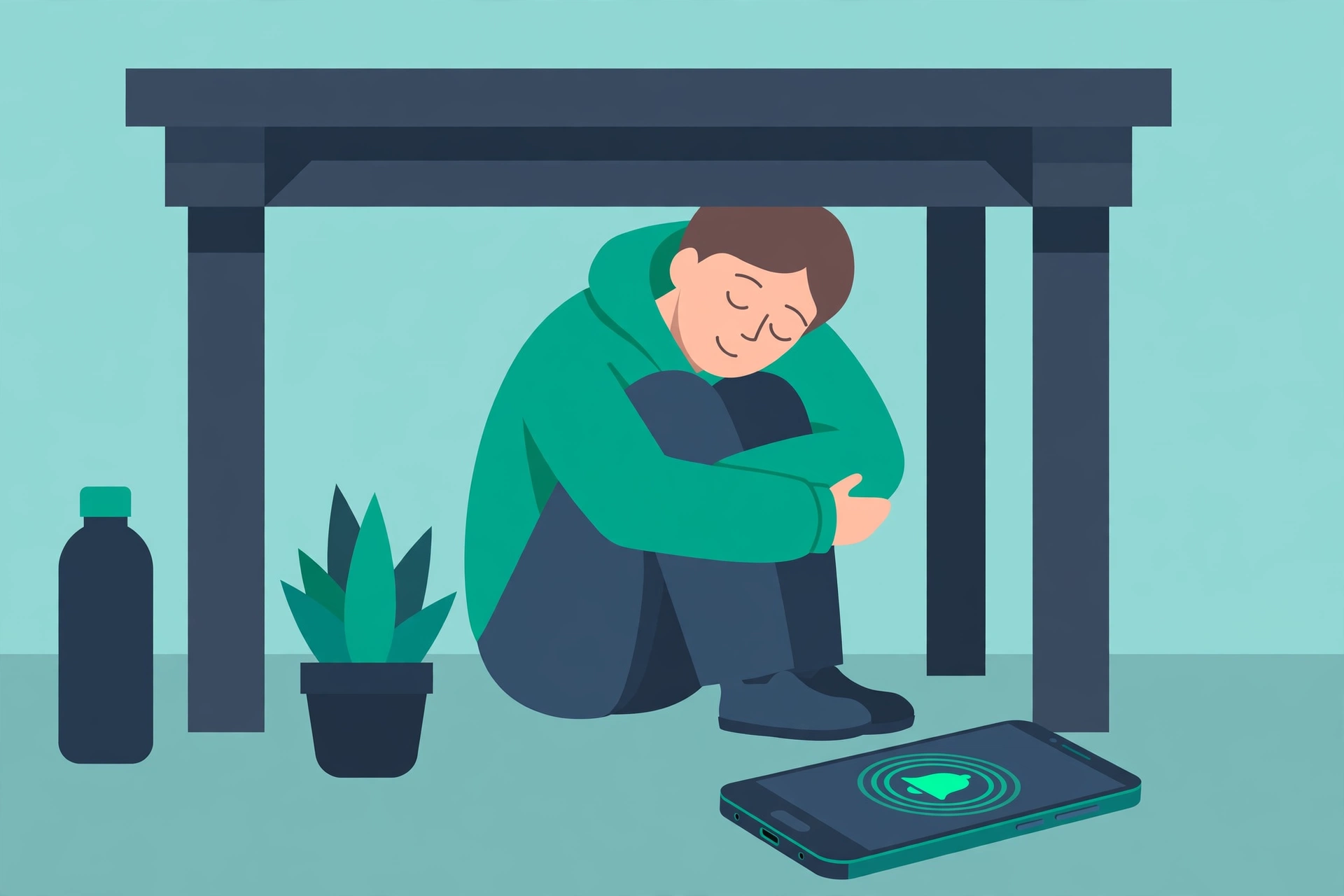
An alert is only useful if you already know your next move. The standard safety guidance, given by earthquake safety authorities in many countries, is simple and worth memorising: Drop, Cover, and Hold On. Drop to your hands and knees, take cover under a sturdy table or desk if one is nearby, and hold on until the shaking stops. If there is no table, crouch against an interior wall, away from windows, and protect your head and neck with your arms.
What not to do is just as important, because the instincts in the moment are often wrong. Do not run outside during shaking — falling debris near building entrances is a common cause of injury. Do not stand in a doorway, despite the old advice; modern doorways are no stronger than any other part of a house. Do not use a lift, and do not try to grab belongings, film the shaking, or finish a message first. The alert gave you seconds for one job only: getting to the safest spot within reach.
After the shaking stops, the phone becomes useful again in a different way. Check the alert or notification for official information and follow any local guidance it links to. Check on people nearby, watch for hazards such as broken glass or damaged power lines, and expect aftershocks — smaller quakes that can follow the main one and can still cause damage, especially to already weakened structures. If you are in a coastal area and feel strong shaking, or if official guidance says so, move to higher ground; do not wait for a separate tsunami alert to confirm what the shaking already told you.
A Quick Household Checklist, Before You Ever Need It
An alert on your phone is one layer of preparation, not the whole plan. The rest is unglamorous, takes about half an hour, and makes the alert far more useful when it matters:
- Know your safe spots. In each room you spend time in, know the nearest sturdy table or interior wall away from windows. If you have children, practise Drop, Cover, and Hold On with them once, so it is familiar rather than frightening.
- Secure the obvious hazards. Heavy bookcases, wall-mounted televisions, and objects on high shelves become risks during shaking. Securing them now is a one-time job that pays off in every future quake.
- Keep a small emergency kit accessible. Water, a torch, a phone charger, and any essential medication, in a place you can reach without searching in the dark.
- Share the plan. Make sure everyone in the household knows that a phone earthquake alert means “take cover now”, not “check social media to see if it is real”. The alert itself is the verification.
- Have a second source of information. Local emergency services, official weather and geological agencies, and local news all provide earthquake information. If your phone’s alert system is not available in your region, these are your primary sources, not a substitute of last resort.
This checklist pairs naturally with the wider phone-safety setup in our Emergency SOS guide, and with keeping your phone’s software current in general — our guide to checking and installing Android updates covers the update habit that keeps safety features like this one working as intended.
Limits Worth Knowing, So You Are Not Caught Out
| Expectation | Reality | What to do instead |
|---|---|---|
| Warning before every earthquake | Only in supported regions, and only when you are far enough from the origin for a gap between wave types | Know Drop, Cover, and Hold On regardless of alerts |
| A precise prediction of strength | Early alerts are estimates; the shaking you feel may differ from the alert’s description | Act on the alert, not on the number |
| An alert if your phone is off or has no signal | No alert can reach a phone that is off, out of coverage, or with location disabled | Keep the phone charged and location available for safety features |
| Protection from aftershocks | Aftershocks may arrive with little or no separate warning | Stay alert after the main quake and avoid damaged buildings |
| A substitute for local official guidance | Phone alerts supplement, but do not replace, local emergency instructions | Follow local authorities’ advice after any significant quake |
The pattern in that table is the same one that runs through every safety feature on a phone: the feature buys time and information, but it does not remove the need for judgement and preparation. An earthquake alert is genuinely valuable — a few seconds of warning, delivered to millions of phones at once, is a remarkable piece of infrastructure — but it is one layer among several, and the layers that do not depend on any technology at all, like knowing where to take cover, are the ones that work even when the phone does not.
Frequently Asked Questions
Will I get an earthquake alert anywhere in the world?
Not necessarily. Availability varies by region, and Google reports the system has expanded to more than 200 regions, but that does not cover everywhere. If the earthquake alerts option is missing from your phone’s safety settings, the feature is most likely not available in your area yet.
How much warning will I get?
It varies. The warning depends on your distance from the earthquake’s origin: further away generally means more time, while close to the origin there may be little or no warning. The safest approach is to act immediately on any alert, rather than waiting to judge how much time you have.
Does the alert need an internet connection?
The alert system relies on your phone being connected and able to receive notifications, and it needs location to determine whether you are in an affected area. A phone that is switched off, out of coverage, or with location fully disabled may not receive an alert.
Is an earthquake alert the same as a wireless emergency alert?
No, though they can look similar. Wireless emergency alerts cover a range of public safety situations, while earthquake alerts are a specific feature with their own toggle in your phone’s safety settings. It is worth checking that both are switched on.
What should I do if I feel shaking but get no alert?
Take cover immediately anyway, using Drop, Cover, and Hold On. An alert is a helpful warning, not a requirement for action. After the shaking stops, check official sources for information and follow local guidance, and watch for aftershocks.
Set It Up Today, Then Forget About It
The best outcome for earthquake alerts is a boring one: you switch the toggle on today, you learn the Drop, Cover, and Hold On move, you secure the bookcase you have been meaning to fix, and then you never think about any of it again — until the night your phone buzzes and you already know exactly what to do. That is the whole value of the feature, and it costs about two minutes to set up. Check the toggle now, while the advice is still abstract, because the one time you will be glad you did is precisely the time you will not have a moment to spare. For the rest of your phone’s safety setup, the Emergency SOS guide and the theft protection guide complete the picture.
